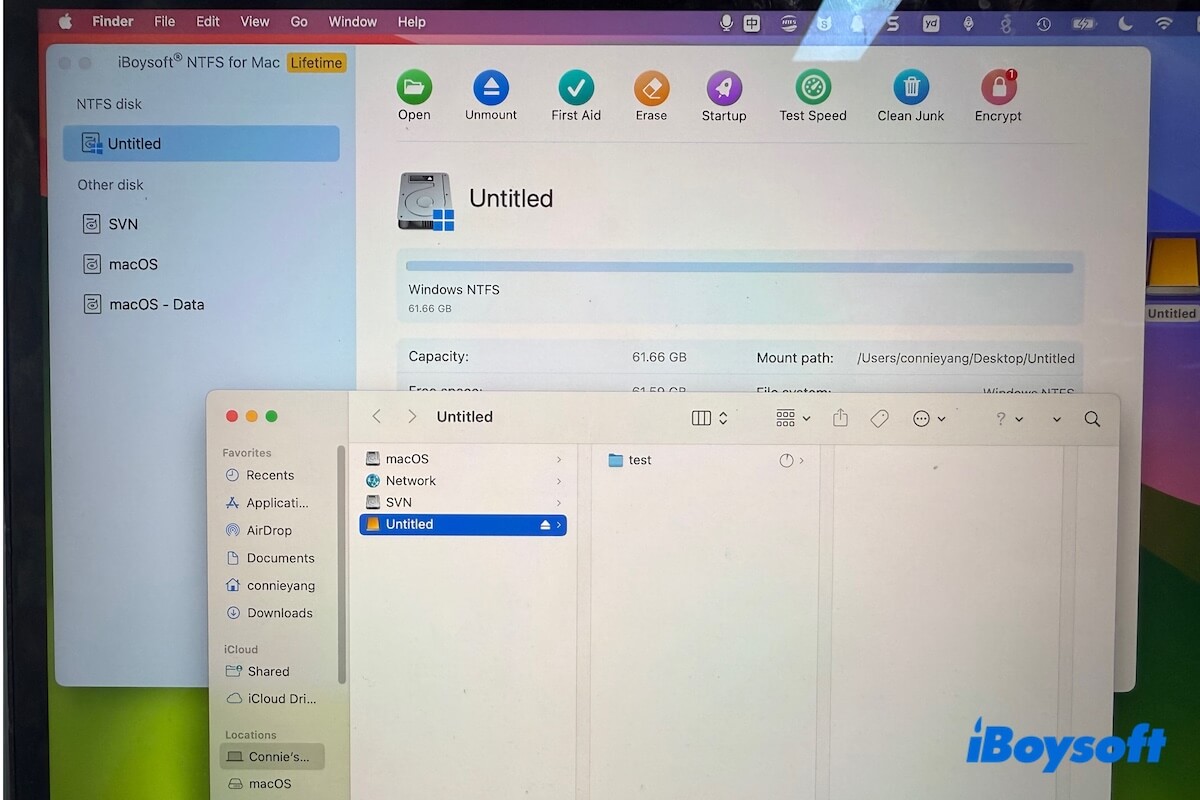
This is a complete retrospective of the four generations of core technologies that enabled NTFS writing on Mac, including their strengths, weaknesses, and historical development.
Why can't macOS write to NTFS drives natively?
If you've ever connected an NTFS-formatted external hard drive (used on Windows) to a Mac, you've likely run into this limitation: You can open and read files on the drive, but you can't write, edit, or delete them.
This isn't a flaw in macOS — there are deeper reasons:
- NTFS is a proprietary file system developed by Microsoft, and its full technical specifications are not publicly available.
- macOS only provides read-only NTFS support by default. Apple, citing stability and patent concerns, does not enable write support by default.
- Enabling NTFS write access requires specialized technical methods, which is exactly why NTFS for Mac software exists.
Over the past ~20 years, developers have explored four distinct technical approaches to solve this problem. Among them, generations 1–3 evolved into real-world, production-ready solutions.
Generation 0: Forced native NTFS writing in macOS
Timeframe: ~2007–2009 (Mac OS X Leopard / Snow Leopard era)
macOS has always included a built-in NTFS driver inherited from FreeBSD (mount_ntfs). However, Apple mounted NTFS volumes as read-only.
Early users discovered that by using command‑line parameters or modifying /etc/fstab, write support could be forcibly enabled - this was the first method ever to allow NTFS writing on a Mac.
Pros:
- ✅ No third-party software required
- ✅ Purely native, highly appealing to users who dislike hassle
Fatal flaws:
- ❌ Unstable and untested - Apple never tested the write functionality for stability. It frequently causes file system corruption, directory loss, partition type misidentification, and even mounting failures.
- ❌ Limited functionality - Supports only limited file operations; large transfers or filenames with special characters often trigger crashes.
- ❌ No official support - Apple explicitly warned: Use at your own risk. This method was never officially endorsed.
- ❌ Removed in modern macOS - The feature has been completely disabled since macOS Ventura 13.
Verdict:
It was precisely because the native hack was too dangerous and lacked any stability guarantees that the open‑source community launched the FUSE‑based NTFS-3G project. From that point on, truly usable commercial technologies (Generations 1, 2, and 3) began to emerge.
Generation 1: FUSE + NTFS-3G
Timeframe: ~2006–2008
FUSE (Filesystem in Userspace) is a classic open‑source framework. The core idea is to run file system drivers in the "safe" user space. Using the FUSE kernel module as a bridge, the NTFS-3G driver runs in user space, translating read/write requests and passing them to the NTFS disk.
Pros:
- ✅ Free and open-source
- ✅ Cross-platform compatibility
- ✅ The first truly usable open‑source solution
Cons:
- ❌ Poor stability: Large file transfers are prone to interruption; sleep/wake cycles can break the link between the FUSE kernel‑mode and user‑mode.
- ❌ Low performance: Frequent switching between user mode and kernel mode results in speeds of only about 30% of the hardware's raw capability.
- ❌ High CPU usage: The software is prone to failure following system updates, and uninstallation may leave residual drivers behind in your system.
Verdict:
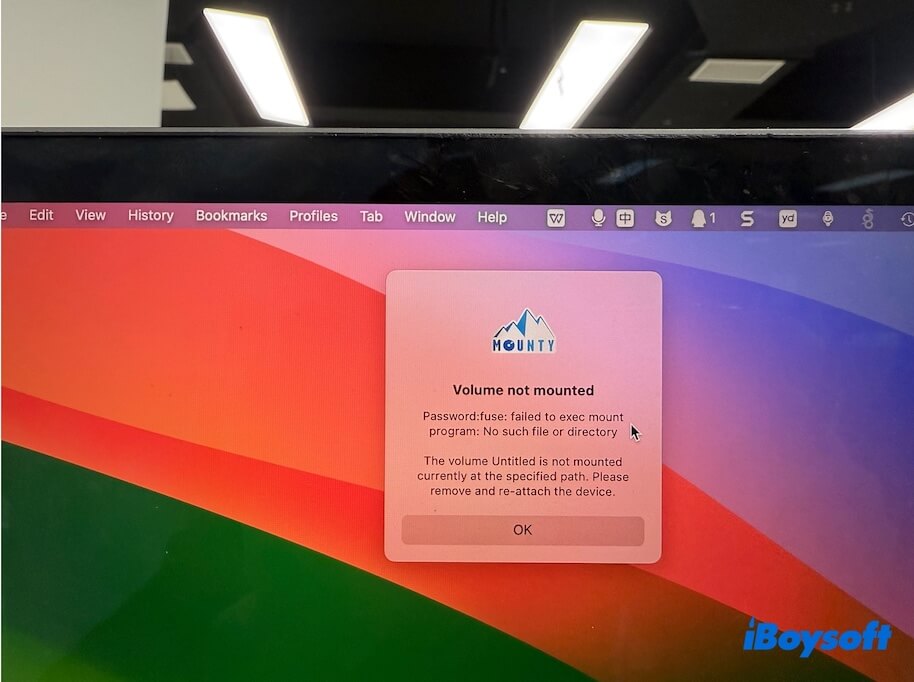
Some free tools, like Mounty for NTFS, still use this technology today, but mainstream commercial software has long since moved on.
Generation 2: Kernel extension (kext)
Timeframe: Matured around 2010
The kernel driver approach takes the opposite path: it runs the NTFS driver directly inside the macOS kernel space, eliminating user‑mode switching overhead and delivering extreme performance.
Two ways to implement a kernel driver:
1. NTFS for Mac using a fully self-developed driver (Recommended)
The vendor independently develops everything, from low‑level driver code to high‑level features, and validates it through extensive real‑world testing and long‑term iteration.
Typical representatives:
Tips: iBoysoft NTFS for Mac uses a fully self-developed kernel driver, continuously refined since 2017 and validated through nine years of rigorous testing, unlike solutions that simply recompile.
Advantages of self-developed kernel drivers:
- ✅ Extremely high performance: Near hardware‑native speeds (tested: SSD 400+ MB/s, Thunderbolt drive nearly 1000 MB/s).
- ✅ Excellent stability: Large continuous file transfers and sleep/wake cycles perform well, validated by real‑world user scenarios.
- ✅ Timely issue resolution: Self‑developing vendors can quickly locate and fix kernel‑level problems.
⚠️ Challenges for self‑developed kernel drivers:
- Requires substantial development investment and long‑term accumulation of expertise.
- Apple has made it clear that kexts will be deprecated in the future, pushing migration to System Extensions.
2. NTFS for Mac using repackaged / lightly modified drivers (Not recommended)
Only minor modifications or recompilations of Apple's open‑source NTFS driver; stability, performance, and compatibility are not thoroughly verified. Common in some low‑quality or free NTFS for Mac commercial software.
Drawbacks of non‑self‑developed (simple compile) drivers:
- ❌ Lack of deep testing; prone to kernel panics or data corruption.
- ❌ Cannot handle changes in macOS kernel interfaces; frequently breaks after system updates.
- ❌ No technical support - extremely high risk.
Verdict
Generation 2 remains the mainstream high‑performance solution, but it is recommended to choose only software that is truly self‑developed and continuously updated. It is worth noting that self‑developed kernel drivers require a long time (definitely not just one or two years) to carefully hone stability and read/write performance.
Generation 3: System‑native user mode (FSKit)
Timeframe: Introduced in 2024
Adopts Apple's officially recommended modern architecture: uses the FSKit framework, allowing the file system to run entirely within a complete user‑mode framework maintained by Apple, achieving both the stability and efficiency of kernel mode and the security and convenience of user mode.
Pros:
- ✅ Extremely high security: Driver crashes do not affect the system.
- ✅ Install and use immediately: No need to disable SIP, enter recovery mode, or manually approve extensions.
- ✅ Excellent system update compatibility: Apple's recommended architecture ensures smoother future adaptability.
- ✅ Clean uninstallation: No residual risk.
Technical challenges:
- ⚠️ High development difficulty.
- ⚠️ Requires fine‑grained performance optimization.
Representative software:
iBoysoft NTFS for Mac – one of the few in the industry to have achieved mature commercial implementation of this technology.
Verdict
This model particularly solves a long‑standing pain point for enterprise users: NTFS for Mac software can be used normally on Apple Silicon M1/M2/M3/M4/M5 series Macs without any changes to security policies — balancing efficiency, security, and compliance.
Generation 3 is the future direction. iBoysoft NTFS for Mac is currently one of the few software solutions that has mastered both Generation 2 and Generation 3 mature technologies and allows users to switch freely between the two modes.
Related guide: How to write to NTFS drives on a Mac without enabling kernel extensions
Full comparison of Generations 1–3 (commercially viable solutions)
The comparison below focuses on truly commercially viable Generations 1, 2, and 3. Generation 0 (forced native writing) is excluded from performance benchmarking due to extremely high data security risks and unreliability.
| Generation 1 | Generation 2 | Generation 3 | |
| Core Technology | FUSE + NTFS-3G | Kernel-level NTFS driver | FSKit User Space |
| Technical Principle | User-space NTFS driver built on FUSE | Custom kernel extension (KEXT) filesystem drivers | Uses Apple's modern filesystem frameworks instead of legacy KEXTs |
| Performance | Low | Very High | High (approaching Gen 2) |
| Stability | Moderate | Excellent | High |
| Security | Medium | Lower (high privileges) | Very High |
| Setup Complexity | High | Medium | Very Low |
| macOS Compatibility | Poor | Good (needs updates) | Excellent |
| Large File Transfers | Unreliable | Stable | Stable |
| Typical Tools | NTFS-3G + macFUSE Mounty for NTFS | Paragon NTFS for Mac Tuxera NTFS for Mac iBoysoft NTFS for Mac | iBoysoft NTFS for Mac (Industry leader) |
iBoysoft NTFS for Mac tech evolution: Self‑developed kernel driver → tri‑mode innovation
iBoysoft NTFS for Mac has always followed a self‑development path. The kernel driver is completely proprietary, distinguishing it from unstable solutions that recompile Apple's open‑source driver.
Evolution timeline:
2017 - Self‑developed kernel driver project launched
Rejecting open‑source wrappers, iBoysoft built a kernel‑level NTFS driver architecture from scratch. The first disk management software with NTFS for Mac functionality, iBoysoft Drive Manager (later renamed iBoysoft DiskGeeker), was released that same year.
2019 - Standalone NTFS for Mac software released
iBoysoft NTFS for Mac was released as an independent commercial solution for macOS users.
2021 - Self‑developed kernel driver matures
Advanced Mode performance comparable to Paragon and Tuxera, with large‑file transfer and sleep/wake reliability among the best in the industry.
2024 - FSKit-based dual-mode architecture R&D
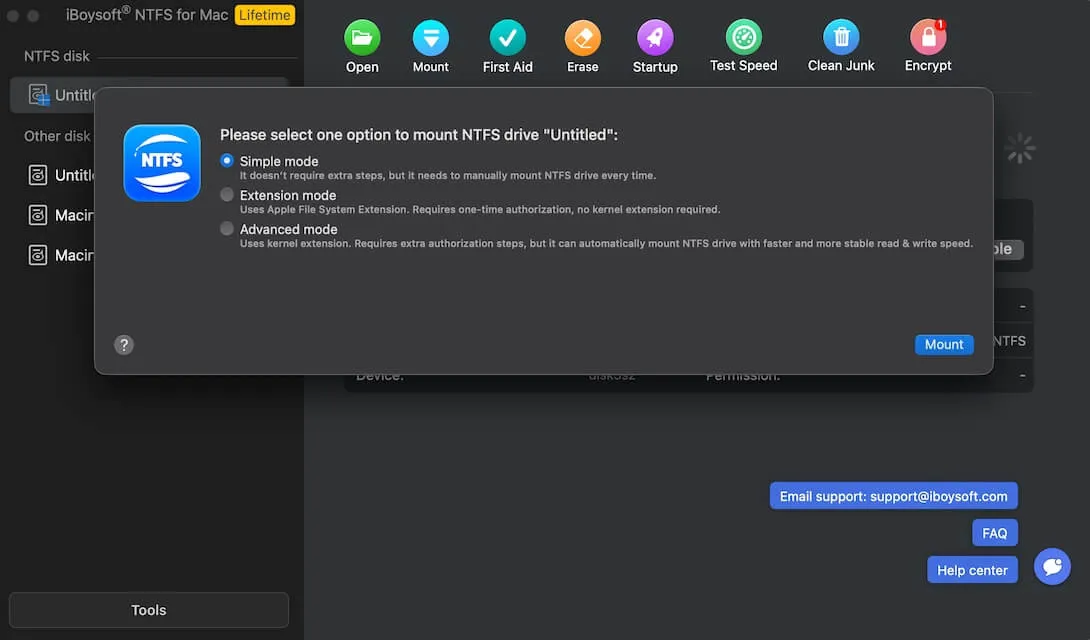
Early adoption of FSKit, starting user‑mode development. Pioneered "Simple Mode + Advanced Mode," the only dual‑mode freely switchable solution in the industry.
2025 - First to support macOS Tahoe 26
iBoysoft NTFS for Mac V8 was already adapted before Apple's official release, upholding the principle of "first‑day compatibility."
2026 - Ongoing refinement & leadership
Tri-mode architecture serving global users reliably, becoming an industry technology benchmark. iBoysoft NTFS for Mac V9 supports macOS Golden Gate 27.
Core advantages of iBoysoft NTFS for Mac
- ✔ All driver code is self‑developed - no legacy open‑source issues.
- ✔ Nine years of continuous iteration, with test coverage far exceeding simple compile solutions.
- ✔ Tri-mode technology offers users the best balance of peak performance and maximum security.
- ✔ One of the first commercial tools to implement FSKit.
Summary and outlook
Technology evolution path (from past to future):
Generation 0: "Can it support writing to NTFS drives on Mac?"
Forced native writing, but at the cost of potential data loss at any time. Only for technical experimentation.
Generation 1: "Can it help write reliably?"
FUSE+NTFS-3G enabled basic writing, but with significant performance and stability limitations.
Generation 2: "How well does it help write?"
Kernel drivers delivered extreme performance and stability, becoming the industry benchmark for over a decade.
Generation 3: "Can it help write securely and hassle‑free?"
User‑mode architecture dramatically improves security and ease of use while maintaining high performance - built for the future.
What matters today
If you're choosing an NTFS for Mac solution in 2026:
- Prioritize stability and long-term compatibility, not just speed
- Avoid tools based on unverified or repackaged drivers
- Look for solutions aligned with Apple's future architecture (FSKit)
The future of NTFS for Mac
- Continued performance optimization in user-space models
- Broader file system support
- Faster adoption of new macOS versions
- Deeper integration with Apple Silicon
Note: This article is based on publicly available technical documentation and internal testing data, covering all four generations of NTFS for Mac technologies.
FAQs
- QIs it safe to use free NTFS for Mac tools?
-
A
Many free NTFS for Mac tools rely on FUSE and NTFS-3G. They are usually not reliable enough for important data or long-term use.
- QWhat's the best NTFS for Mac software for Apple Silicon Macs?
-
A
The NTFS for Mac tools designed with the native system-level framework (FSKit) are best for Apple Silicon Macs, as they won't require users to enter macOS Recovery Mode to adjust security settings so to enable system extensions before using.