It is not recommended to use a cracked installer, an unauthorized serial key, a keygen, or a torrent version of Paragon NTFS for Mac.
This post explains the risks that a Paragon NTFS for Mac crack serial license key brings. Also, it gives suggestions of legitimate alternatives.
Warning: This article merely outlines the risks associated with "full crack," keygen, torrent, and serial license key versions of Paragon NTFS for Mac; it does not provide cracking tools, keygens, license bypass methods, or free serial numbers.
Furthermore, the alternative tools recommended in this article refer to legitimate versions, not cracked ones.
Risks of using a cracked Paragon NTFS for Mac
Installing an unofficial or modified Paragon NTFS driver can affect not only the software itself but also the safety of your Mac and connected storage devices.
These risks you should be aware of:
Malware and unwanted software
Cracked Paragon installers downloaded from unofficial websites are frequently bundled with malware, spyware, adware, or other software that can compromise your Mac.
Data corruption on NTFS drives
An improperly modified NTFS driver may fail to write data correctly, increasing the risk of file corruption or damage to important files stored on external NTFS disks.
macOS incompatibility risks
After upgrading to a newer version of macOS, unofficial builds may stop working entirely because they do not receive compatibility updates from the original developer.
Privacy exposure
Unofficial software may collect sensitive information or expose your system to unauthorized access without your knowledge.
No official updates or technical support
Using an unauthorized copy means you won't receive software updates, bug fixes, security patches, or technical support when issues occur.
License and legal concerns
Cracked software and unauthorized activation methods violate the software license agreement and may expose users or organizations to compliance and legal risks.
Safe alternative to Paragon NTFS for Mac
Instead of relying on unofficial software or purchasing the $29.95 or higher legitimate Paragon license, you can choose iBoysoft NTFS for Mac.
This affordable NTFS option is only $19.95 (yearly subscription) and trusted by Apple, helping you write to NTFS-formatted hard drives on Mac, flash drives, and SSDs easily.
This professional Mac drive management tool can also check and repair NTFS drives, erase multiple disks to NTFS, and more.
Tutorial to mount an NTFS drive in full read-write mode on a Mac with official iBoysoft NTFS for Mac
Step 1: Download, install, and launch iBoysoft NTFS for Mac on your Mac.
Step 2: Connect your NTFS drive to your Mac.
Step 3: Click Enable Writable.
After it is mounted in read-write mode, you can read and write to NTFS drives.
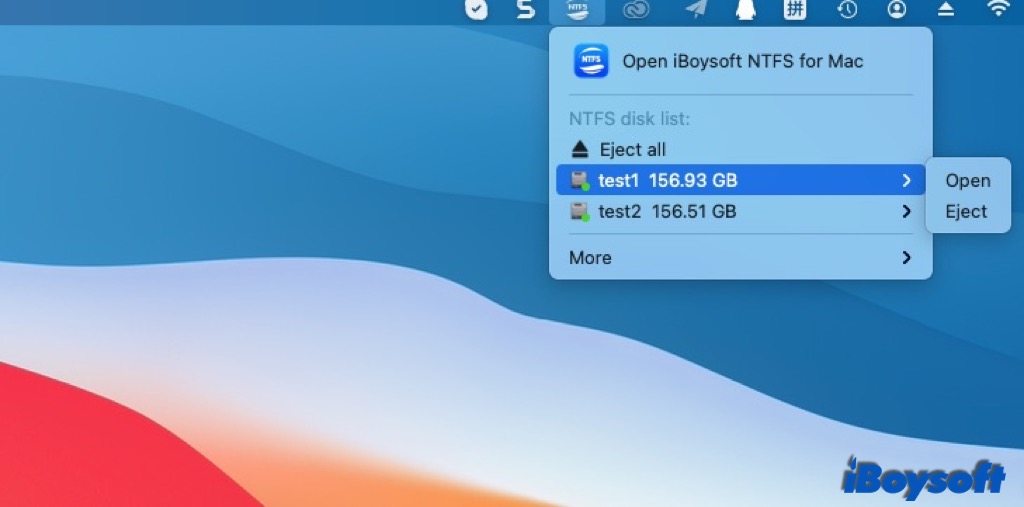
If you don't want to pay for tools, you can also try a free NTFS for Mac solution, such as Mounty for NTFS and NTFS-3G + macFUSE.
Notably, free tools are command-line oriented and hard to operate. If you want to enjoy an easier experience and get smoother performance, choose the affordable iBoysoft NTFS for Mac.
Share iBoysoft NTFS for Mac with more people to help them read and write NTFS on Mac!
FAQs
- QCan regular NTFS for Mac software open a BitLocker-encrypted drive?
-
A
No. Standard NTFS drivers are designed to mount NTFS volumes in read-write mode. If your external drive is encrypted with BitLocker, you'll need a dedicated BitLocker for Mac solution like iBoysoft BitLocker for Mac to unlock and access the data.
- QDoes macOS support writing to NTFS drives natively?
-
A
No. macOS provides native read support for NTFS but does not offer reliable write support. A trusted NTFS driver is required for full read-write access.