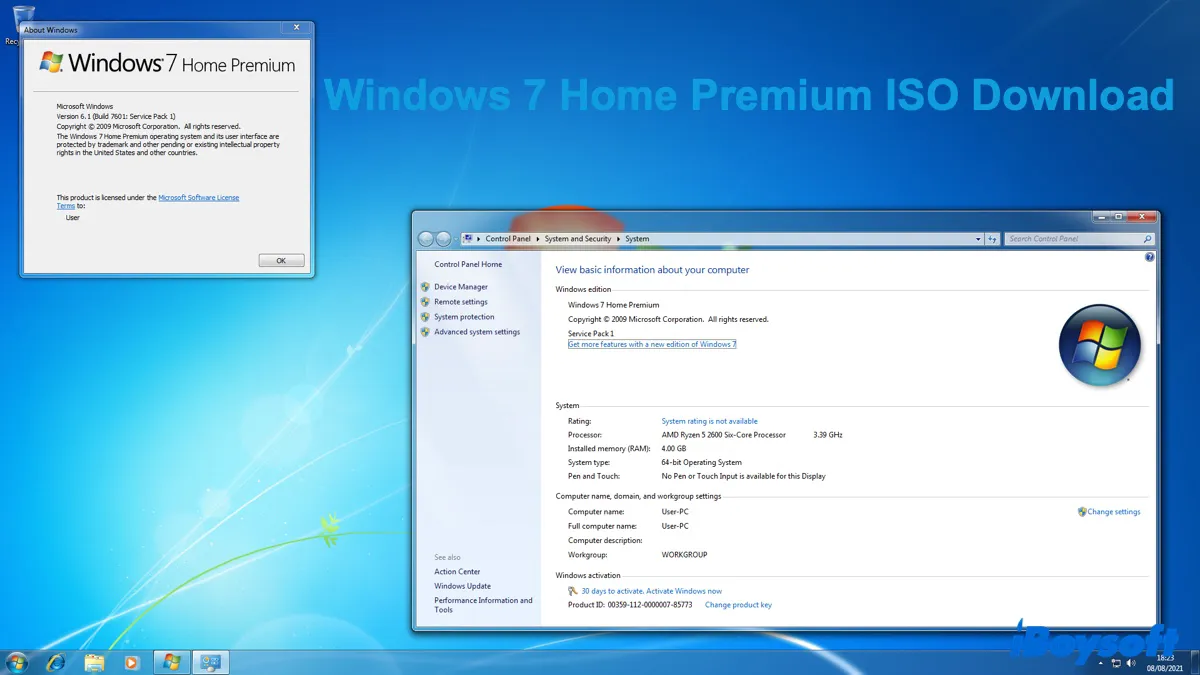
Windows 7 Home Premium is a popular mainstream consumer edition of the Windows 7 operating system, offering essential and desirable features for everyday tasks like web browsing, media consumption, and basic productivity.
It introduced several key features that were absent in the more basic "Windows 7 Starter" and "Windows 7 Home Basic" editions, including the full Windows Aero interface, Windows Media Center, HomeGroup networking, multi-touch and Tablet PC support, and improved performance and taskbar.
If you want a modern, reliable, and multimedia-rich operating system without needing the advanced business or security features like BitLocker encryption found in the Professional or Ultimate editions, download the Windows 7 Home Premium ISO file.
Windows 7 Home Premium Minimum Requirements
Before downloading or installing Windows 7 Home Premium, make sure the PC where it's installed meets the following requirements:
Component
Windows 7 Home Premium Minimum Requirements
Processor (CPU)
1 GHz or faster; 1 GHz or faster (64-bit compatible)
Memory (RAM)
1 GB RAM for 32-bit systems; 2 GB RAM for 64-bit systems
Hard Disk Space
16 GB available space for 32-bit systems; 20 GB available space for 64-bit systems
Graphics
DirectX 9 graphics device with WDDM 1.0 or higher driver
Optical Drive
DVD drive (for installation from physical media) or USB port
Display
Minimum 800 x 600 resolution; 1024 x 768 is required for the Aero interface
Download Windows 7 Home Premium ISO safely
Tips: Microsoft doesn't provide the Windows 7 Home Premium ISO publicly on its download page. If you want to download Windows 7 Home Premium ISO from Microsoft's server, you can use iBoysoft DiskGeeker for Windows.
It pulls the Windows 7 Home ISO file, which contains both the Windows 7 Home Basic and Windows 7 Home Premium installers, directly from Microsoft. Besides, it lets you quickly create a bootable USB installer for Windows 7 Home Premium or any other Windows version that works for both UEFI and BIOS systems.
Follow the steps below to acquire the official Windows 7 Home Premium 32/64-bit SP1 ISO download:
Step 1: Free download, install, and open iBoysoft DiskGeeker for Windows.
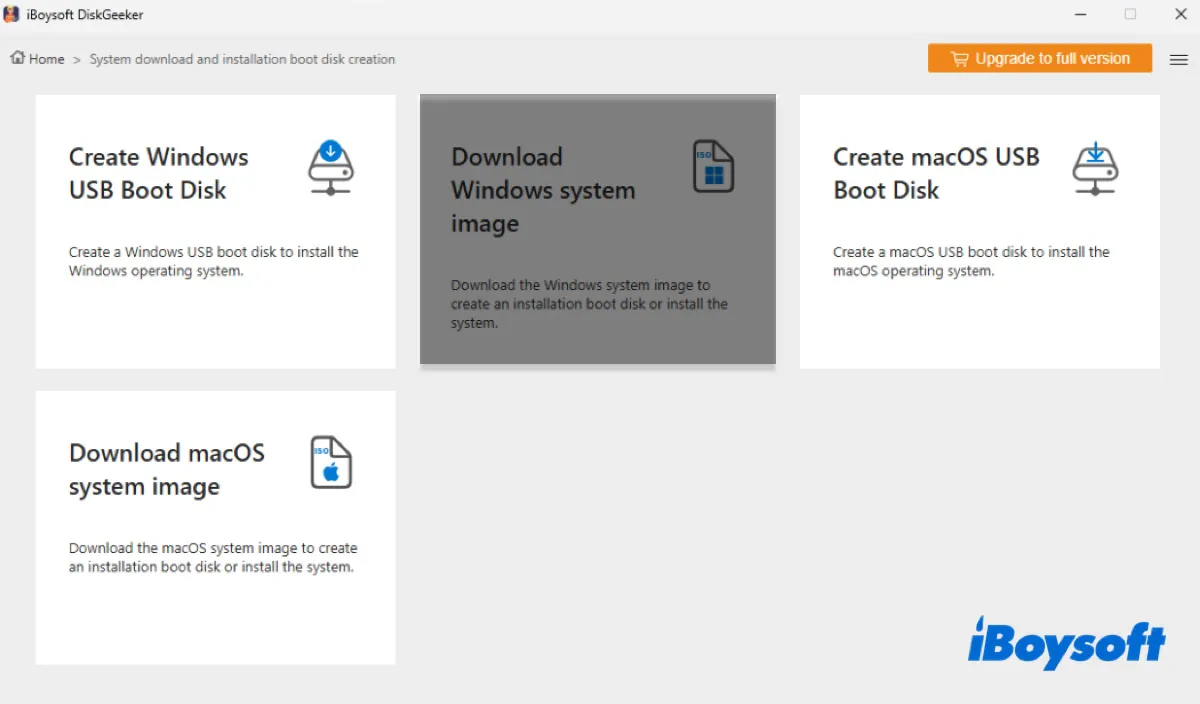
Step 2: Browse to Download and create boot disk > Download Windows system image.
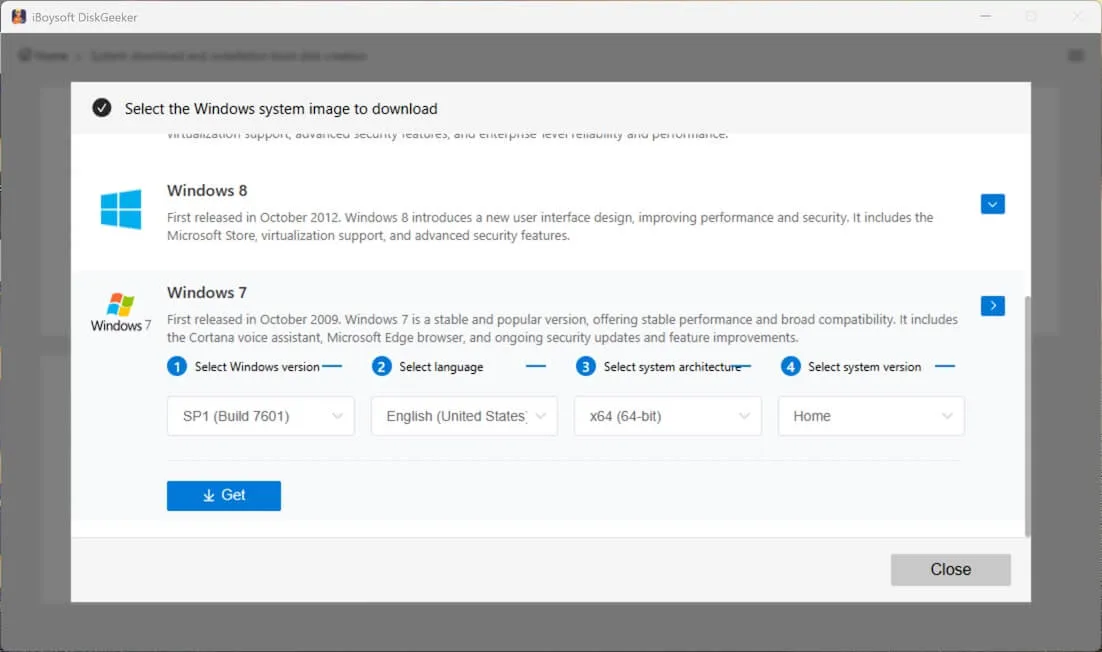
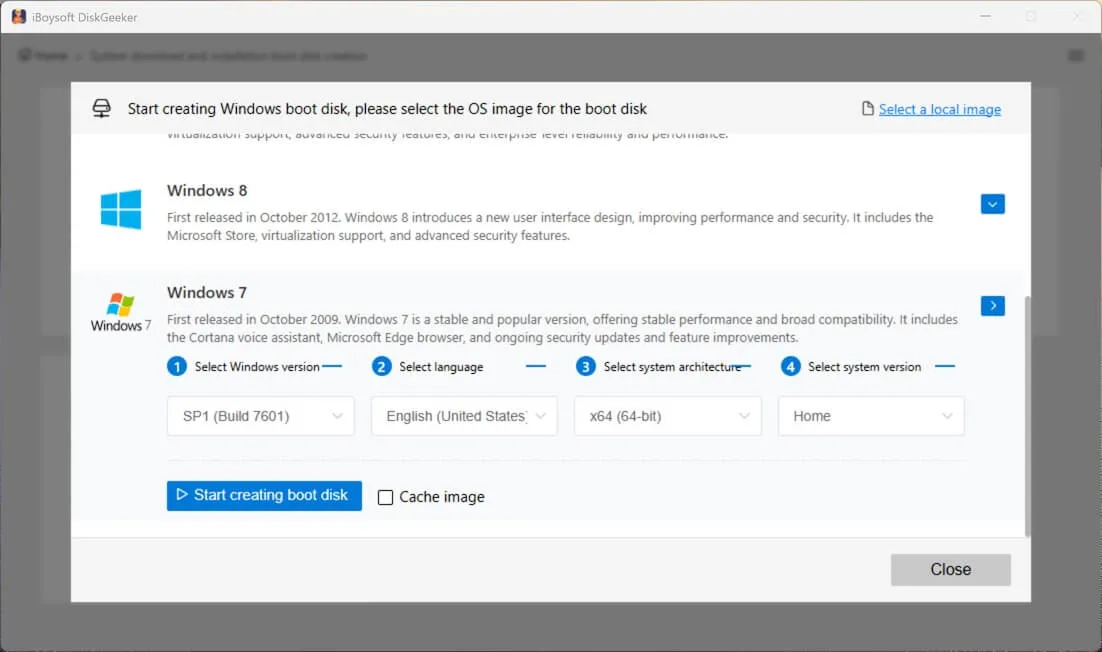
Step 3: Click Windows 7, select SP1 (Build 7601), your preferred language, x64 (64-bit) or x86 (32-bit), and Home.
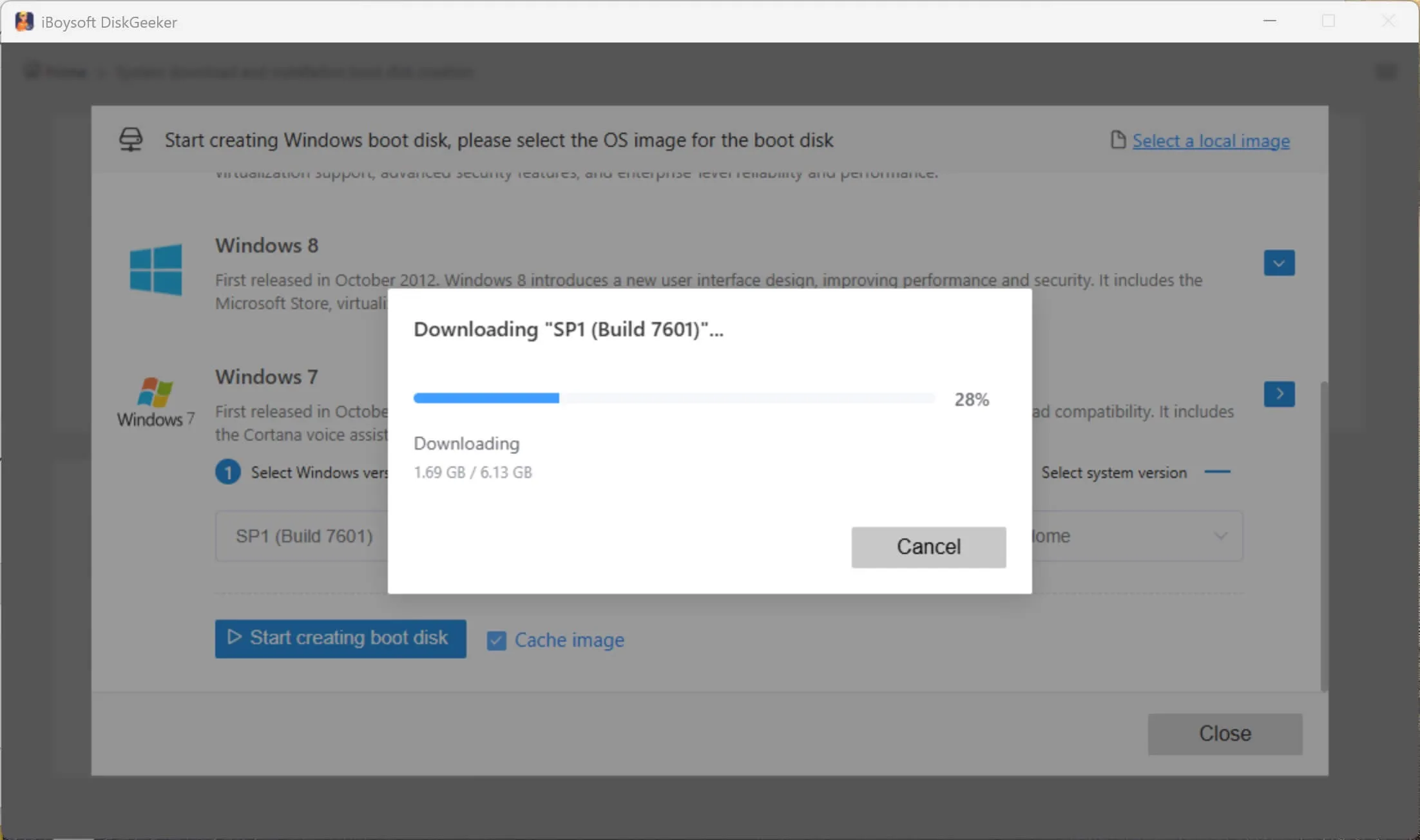
Step 4: Click Get and choose a location to save the Windows 7 Home Premium ISO file.
Nonetheless, if you want direct links to download the Windows 7 Home Premium ISO image for free, keep reading!
Warning: Many direct ISO downloads have no verification methods. We try to provide resources that include a hash value so you can verify their integrity and avoid malware, but some don't. For those you can't verify, try them on a less important computer or a virtual machine first.
Here, we'll provide 5 versions of Windows 7 Home Premium ISO files in English:
Windows 7 Home Premium ISO Versions
Details
Recommendations
Windows 7 Home Premium RTM (Release to Manufacturing) ISO
This is the original release without updates included, available on October 22, 2009.
Not Recommended
Windows 7 Home Premium SP1 (Service Pack 1) ISO
This is the original version with over a year's worth of accumulated updates, patches, and enhancements, released on February 22, 2011. It's also the final major rollout of the Windows 7 update.
Recommended for everyone
Windows 7 Home Premium OA (OEM Activation) ISO
This is the manufacturer's version, which may contain specific drivers for your PC.
Recommended for users with OEM-SLP product keys
Windows 7 Home Premium N ISO
This version of Windows 7 Home Premium doesn't have media features.
Recommended for users wanting no media features
Windows 7 Home Premium All-in-One ISO
This ISO has both 32-bit and 64-bit of Windows 7 Home Premium installation files.
Recommended for users needing both 32-bit and 64-bit versions
To get the original Windows 7 Home Premium SP1 32-bit or 64-bit ISO file quickly, download it from iBoysoft DiskGeeker for Windows.
The 64-bit (x64) version of Windows 7 Home Premium ISO is used to install Windows 7 Home Premium on a PC that supports 64-bit drivers. It allows the computer to use more than 4 GB of memory, which is essential for multitasking, gaming, or running resource-intensive activities.
Free download Windows 7 Home Premium 64-bit ISO from the links below:
Share the links to benefit others who want to download Windows 7 Home Premium 64-bit ISO for free!
Windows 7 Home Premium 32-bit ISO download (x86)
The 32-bit (x86) version of Windows 7 Home Premium ISO is an exact digital replica of the original installation DVD for the 32-bit version of the Windows 7 Home Premium operating system. It contains all the necessary data, files, folders, and boot instructions required to install Windows 7 Home Premium onto a computer.
Free download Windows 7 Home Premium 32-bit ISO from the links below:
Share the resources to download the Windows 7 Home Premium 32-bit ISO!
Windows 7 Home Premium OA ISO download
The Windows 7 Home Premium OA ISO file is essentially the same as the RTM ISO file, except that it's used by computer manufacturers (OEMs) to quickly and automatically install Windows 7 Home Premium on a new PC. The OEM version also supports the "OEM Activation" (OA) mechanism, which allows for seamless factory activation.
Suppose your PC originally came with a pre-installed, pre-activated copy of Windows 7 Home Premium, and you have to extract the product key with a keyfinder tool. In that case, you likely have an OEM-SLP product key, which can only activate an OA/OEM version of Windows 7 Home Premium.
The following link points to the Dell Windows 7 Home Premium ISO download:
As for the Windows 7 Home Premium OA version of other computer brands like HP or Asus, you can contact the manufacturer for a copy.
Windows 7 Home Premium N ISO Download
Windows 7 Home Premium N is a special version of the standard Home Premium operating system with specific multimedia features intentionally removed. The "N" stands for "No Media Features." That said, it excludes Windows Media Player, Windows Media Center, Windows DVD Maker, and other Windows media-related technologies.
If you need this version of Windows 7 Home Premium, download it from the links below:
x86 - 44183494A57BF6F198CB04CA8FFB928A29F78E8C05B7387C500179D9CE4EE0F6
These are untouched Windows 7 SP1 Home Premium German ISOs, downloaded directly from Microsoft, in both 32-bit and 64-bit versions.
Share the Windows 7 Home Premium Deutsch ISO files!
Verify Windows 7 Home Premium ISO
The resources from online archives are not 100% safe; that's why it's best practice to verify the ISO file's hash value before installing it on your computer. Here's how:
1. Click the Start Menu (the Windows logo), type cmd and press Enter.
2. Replace the C:\path\to\windows\7\iso\file.iso with the actual file path and run the proper command: (e.g, certutil -hashfile "C:\Downloads\Windows7.iso" SHA256)certutil -hashfile "C:\path\to\windows\7\iso\file.iso" SHA256
3. Compare the generated hash string with the provided one.
Windows 7 Home Premium product key
Microsoft no longer sells Windows 7 licenses directly, as support ended in January 2020. However, you may be able to obtain a Windows 7 Home Premium product key from third-party resellers or recover an existing one.
If Windows 7 Home Premium came preinstalled on your PC, the product key (a 25-character code) should be on a Certificate of Authenticity (CoA) sticker on your device. For instance, it's likely on the bottom of your laptop or the back/top of a desktop.
If you purchased a physical, retail copy of Windows 7 Home Premium, the key should be on a label or card inside the original box.
If you don't have a Windows 7 Home Premium product key and weren't about to retain one from a third-party reseller, try the keys below:
Windows 7 Home Premium Dell - 6RBBT-F8VPQ-QCPVQ-KHRB8-RMV82 Windows 7 Home Premium Acer - VQB3X-Q3KP8-WJ2H8-R6B6D-7QJB7 Windows 7 Home Premium Asus (Eee) - 7JQWQ-K6KWQ-BJD6C-K3YVH-DVQJG Windows 7 Home Premium Advent - 38JTJ-VBPFW-XFQDR-PJ794-8447M Windows 7 Home Premium Asus - 2QDBX-9T8HR-2QWT6-HCQXJ-9YQTR Windows 7 Home Premium Fujitsu - С6МHH-TRRPT-74TDC-FHRMV-XB88W Windows 7 Home Premium HP - 4FG99-BC3HD-73CQT-WMF 7J-3Q6C9 Windows 7 Home Premium LG - 38GRR-KMG3D-BTP99-TC9G4-BBDJJ Windows 7 Home Premium Medion - 2P2P9-CM3F8-FTV6P-PC7CX-8TFF7 Windows 7 Home Premium MSI - 4G3GR-J6JDJ-D96PV-T9B9D-M8X2Q Windows 7 Home Premium Lenovo - 27GBM-Y4QQC-JKHXW-D9W83-F JQKD
Spread the Windows 7 Home Premium ISO download with the product key!
Create a Windows 7 Home Premium bootable USB installer
With the Windows 7 Home Premium 32-bit or 64-bit ISO file, you can create a Windows 7 Home Premium ISO file to clean install Windows 7. If the Windows PC where Windows 7 Home Premium will be installed runs on the legacy BIOS system, you could use the free Windows 7 USB/DVD Tool (💡: Create Windows 7 Bootable USB). But be reminded that this tool is obsolete and no longer officially supported by Microsoft.
To create a Windows 7 Home Premium bootable USB installer that works on both UEFI and BIOS systems, use iBoysoft DiskGeeker for Windows instead. This tool not only provides the Windows 7 Home Premium ISO image but also allows you to create a 32-bit or 64-bit version of Windows 7 Home Premium bootable USB easily.
Follow the steps below to create the Windows 7 Home Premium bootable USB installer:
Step 1: Download iBoysoft DiskGeeker for Windows and open it.
Step 2: Connect a USB flash drive or any external storage device with at least 10 GB of free space to your Windows PC.
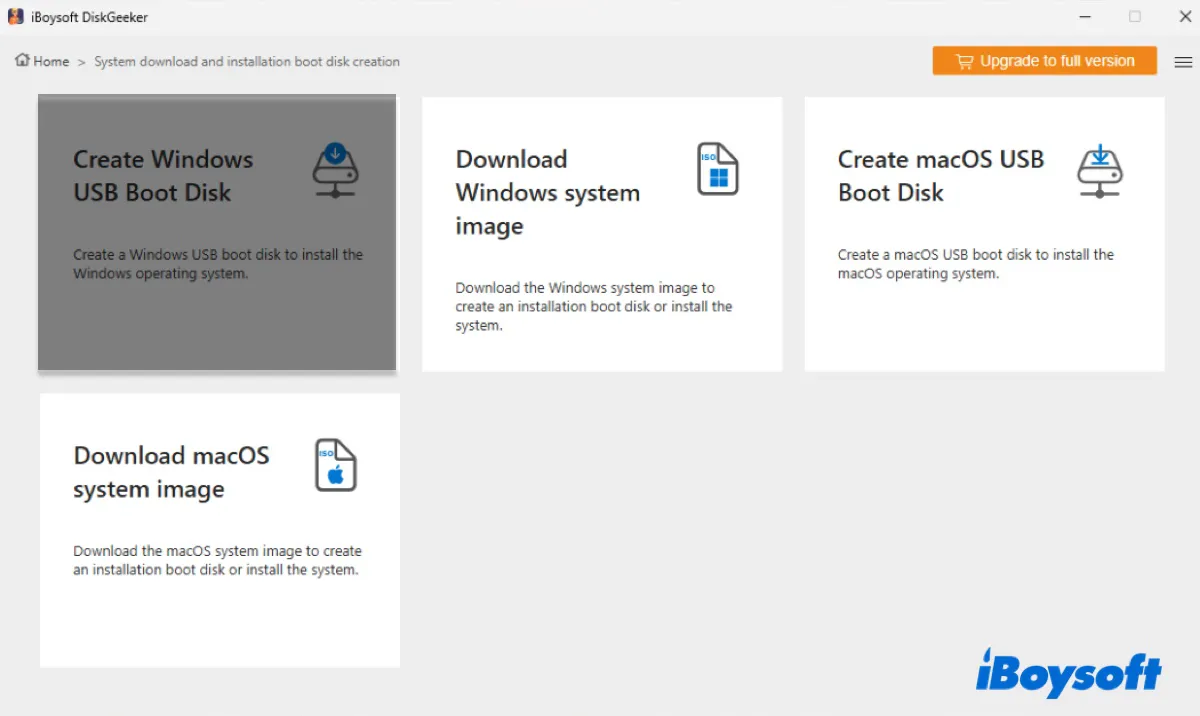
Step 3: Open Download and Create boot disk > Create Windows USB Boot Disk.
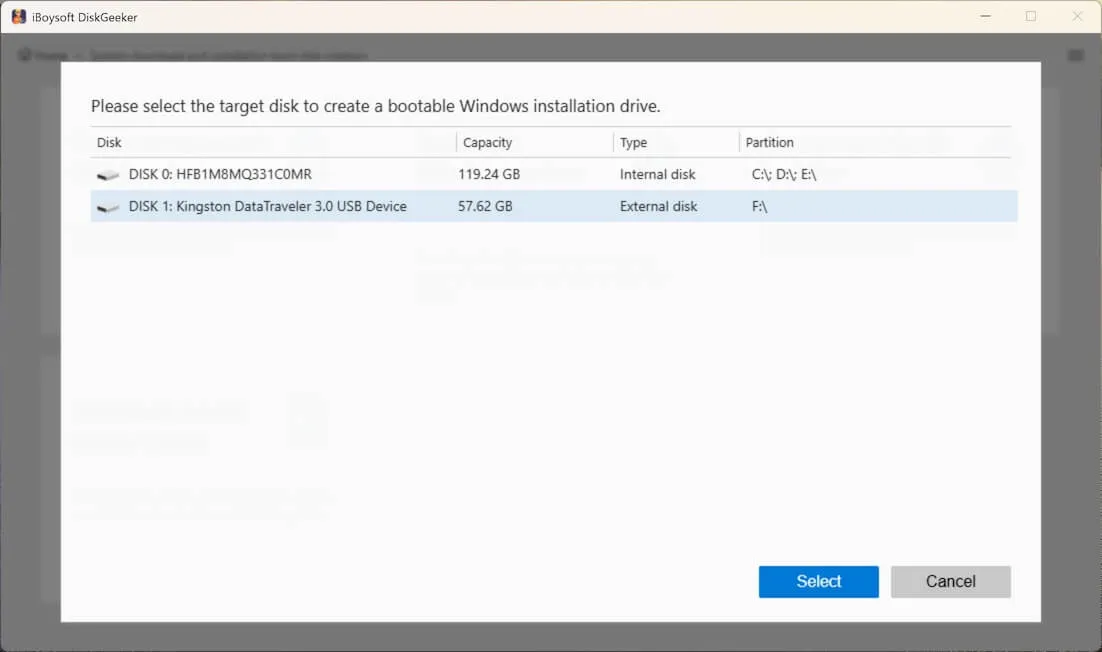
Step 4: Choose the external drive and click Select.
Step 5: Select Windows 7, then choose SP1 (Build 7601), the language, x64 (64-bit) or x86 (32-bit), and Home. (If you've already downloaded the Windows 7 Home Premium ISO file, simply click Cache Image to upload it.)
Step 6: Tap on Start creating boot disk.
Then the software will start creating the boot disk for Windows 7 Home Premium.
Here's the standard way to activate Windows 7 Home Premium with a product key:
1. Click the Start button. 2. Right-click on Computer and select Properties from the context menu. 3. Scroll down to the bottom of the System information window. 4. You will see a section titled Windows activation with a link that says Change product key. Click on this link. 5. Enter your product key.
Yes, although Microsoft doesn't provide the Windows 7 ISO file publicly, you can still download the original version from iBoysoft DiskGeeker for Windows.