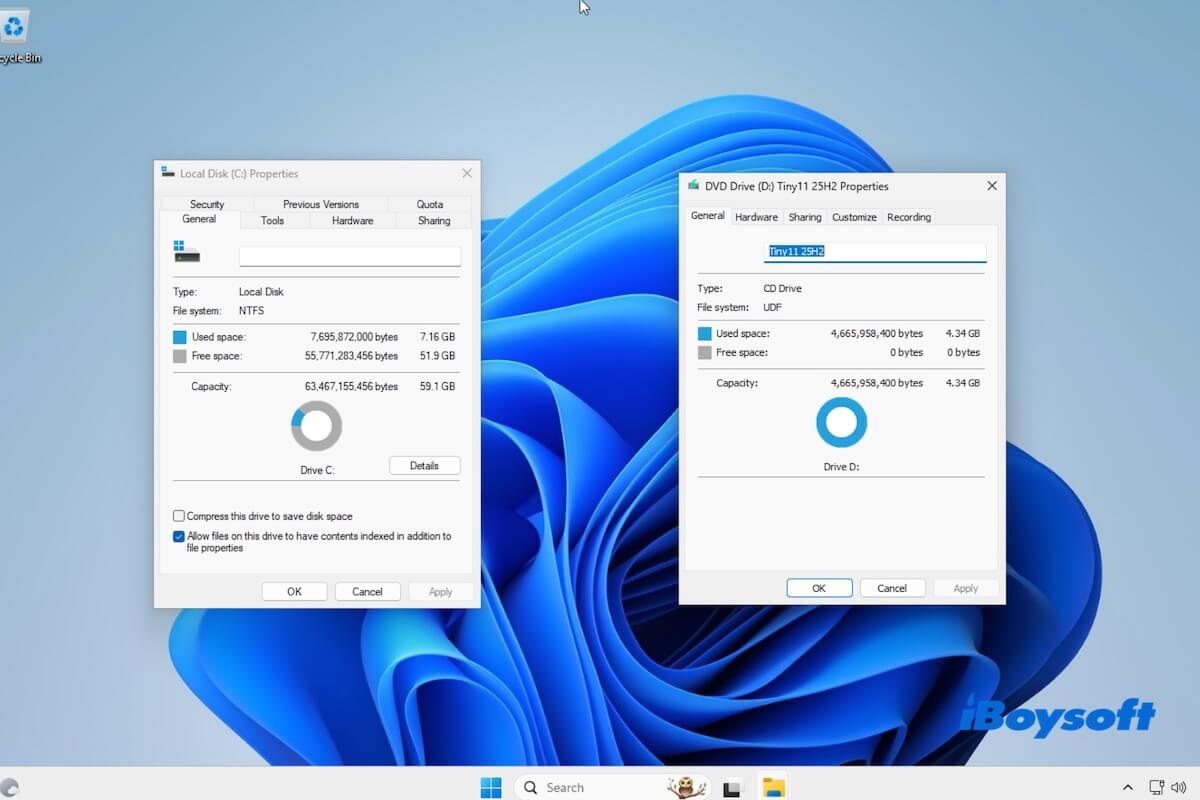
Tiny11 is a debloated version of Windows 11. It is designed for older or low-spec hardware that can't meet Microsoft's standard Windows 11 requirements.
If you prepare to download Tiny11 and run it, be cautious! Microsoft does not officially support Tiny11. This makes it unsuitable for long-term or production use. Tiny11 is only good for tests on old PCs or virtual machines.
In my post, I summarized the direct links to download Windows 11 and ways to create it, along with some matters that need attention, based on my tests.
👉 Want official Windows 11 ISO? Follow: Windows 11 ISO Download Center.
Should you use Tiny11
Tiny11 keeps core Windows 11 functionality intact, but:
- Removes preinstalled apps (Copilot, Teams, Outlook, OneDrive, etc.)
- Bypasses hardware requirements (TPM 2.0, Secure Boot, high RAM)
- Reduces disk usage and background processes
It can run on 2GB-4GB RAM systems, but based on my tests, it sacrifices stability and update performance.
My test result (4GB RAM machine):
- Idle RAM: ~2.1GB (vs ~3.5GB on Windows 11)
- Windows Update: Failed
- Driver support: Partial
- Security features: Reduced
👉 Verdict:
- Good for: testing, virtual machines, old PCs
- Not for: daily use, work, or secure environments
| Use Case | Recommendation |
| Old PC (≤4GB RAM) | ⚠️ Try with caution |
| Virtual machine | ✅ Good choice |
| Daily work | ❌ Not recommended |
| Secure environment | ❌ Avoid |
Tiny11 vs. Windows 11 in minimum system requirements
| Component | Tiny11 Minimum Requirement | Windows 11 Minimum Requirement |
| CPU | 64-bit (x64), almost any CPU ARM not supported | 64-bit, must be on the Microsoft-supported CPU list |
| RAM | 2 GB | 4 GB |
| Storage | 8 GB | 64 GB free space |
| TPM | Not required | TPM 2.0 required |
| Secure Boot | Not required | Required |
| Firmware | BIOS or UEFI | UEFI |
| Graphics | Basic display adapter | DirectX 12 compatible GPU |
Tips: If your PC doesn't meet the official Windows 11 requirements for a physical installation but you still want to try Windows 11, you can download an official, unmodified Windows 11 ISO using iBoysoft DiskGeeker for Windows and run it in a virtual machine.
Compared with lightweight modified builds such as Tiny11, using a full Windows 11 ISO preserves Microsoft's original system components and security features, making it generally more stable and reliable for testing and evaluation.
To download a Windows 11 ISO:
1. Install and open iBoysoft DiskGeeker for Windows.
2. Go to "Download and create boot disk."
3. Click "Windows" > "Download Windows system image."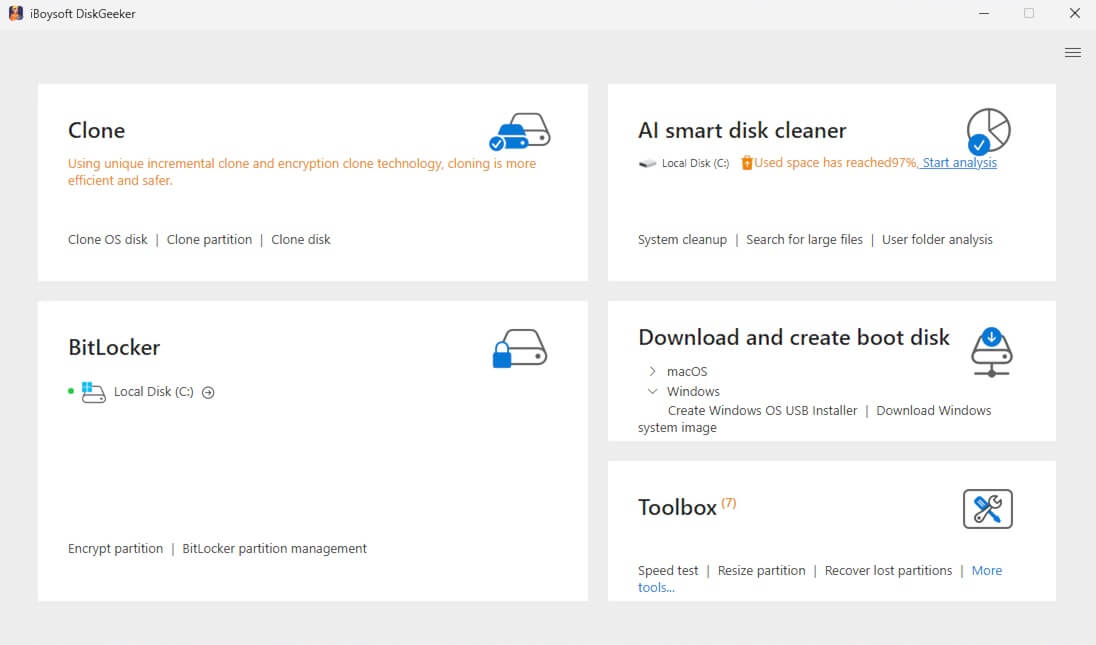
4. Select "Windows 11," choose the desired edition, language, 64-bit, and system version, then click "Get" to start downloading.
After downloading the ISO, you can use it with a virtualization tool such as VMware Workstation or VirtualBox to install and run Windows 11 on a computer that doesn't meet the system requirements for a native installation.
Notably, some virtualization platforms may still require TPM or Secure Boot configuration, or a setup bypass, during installation.
Tiny11 download
Tiny11 25H2 download
The Tiny11 build 25H2 is the most up-to-date version. Here is the direct link to get it.
⬇️ Download Tiny11 25H2 ISO (64-bit)
Size: 4.3 GB
Language: English
MD5: 4c27754379c80697e354812ddb08625d
SHA1: 1962551d48fbf598e8bfefbff1ab51c179add2d7
Tiny11 24H2 download
The Tiny11 24H2 ISO builds on Windows 11 24H2 with a trimmed-down.
⬇️ Download Tiny11 24H2 ISO (64-bit)
Size: 2.8 GB
Language: English
MD5: ccb9a46e4cee4ee6dceae32845490ddf
SHA1: 27461001f903fd14460f181fe01e00f8186a3ca5
Tiny11 23H2 download
The Tiny11 23H2 is the lightweight installer based on Windows 11 version 23H2.
⬇️ Download Tiny11 23H2 ISO (64-bit)
Size: 4.2 GB
Language: English
MD5: fa3e0d12e5132ca6d1239cee81d714d9
SHA1: fd5bdb107cc79946d0f4294b3fbafdaa9575bdbe
Tiny11 22H2 download
Tiny11 is a stripped-down build of the official Windows 11 22H2.
⬇️ Download Tiny11 22H2 ISO (64-bit)
Size: 3.0 GB
Language: English
MD5: efd53d1bd51854ee57391ea3a4700cbf
SHA1: 340db8f1018790d00105dfe3e550a34bbc3c597b
How to create a Tiny11 ISO file
I built Tiny11 on a Windows 11 Pro ISO using NTDEV's script to test it on a 4GB RAM machine. The system booted successfully and used around 2.1GB of RAM at idle, compared to ~3.5GB on a standard Windows 11 install.
However, Windows Update failed to install cumulative patches, and GPU drivers required manual installation.
If you want to create a Tiny11 ISO by yourself, follow this step-by-step guide:
What you should know before you start (Important notifications)
- Tiny11 is not an official Windows 11 installer
- It is a lightweight, modified build created by removing non-essential components
- It is best for tests, virtual machines, and low-spec PCs
- Not recommended for long-term use
What you need (Necessary preparations)
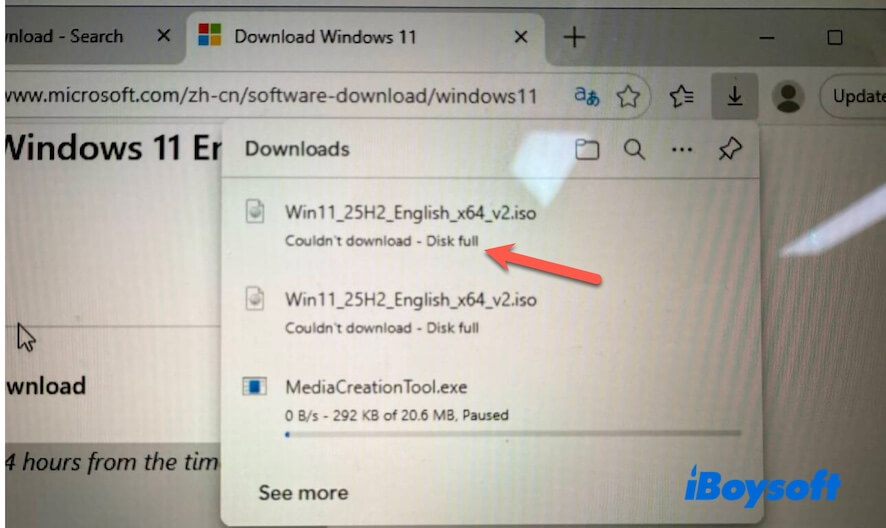
A Windows 10 or Windows 11 computer with at least 20 GB of free space and administrator privileges.
As for me, I failed to download Windows 11 due to a full disk.
Steps to creating a Tiny11 ISO file
Step 1: Download an official Windows 11 64-bit ISO
Download the official Windows 11 64-bit ISO from iBoysoft DiskGeeker for Windows or Microsoft.
Step 2: Download the Tiny11 Builder script
Download the tiny11maker script (usually named tiny11maker.ps1) from NTDEV's GitHub repository.
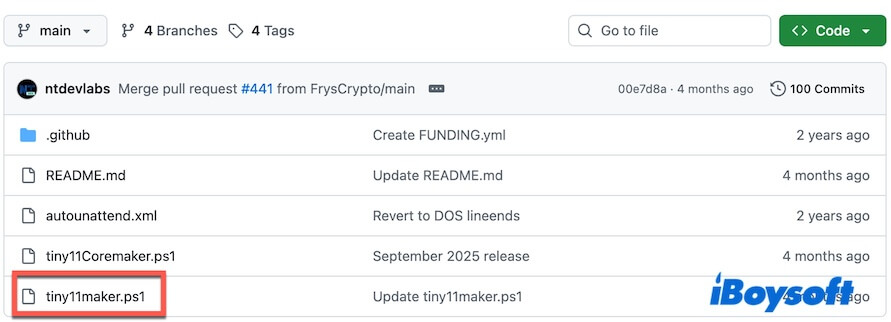
The Tiny11 Builder script is used to:
- Remove Windows bloatware
- Removes components related to hardware requirement enforcement (TPM, Secure Boot)
- Keeps only essential Windows functionalities.
Step 3: Prepare the files
- Create a folder named tiny11 in the C: Drive.
- Copy the Windows 11 ISO file and the tiny11maker script (named tiny11maker.ps1) into the folder.
Step 4: Start building the Tiny11 ISO
- Click "Start" or press "Win."
- Type "PowerShell."
- Right-click on Windows PowerShell and select "Run as administrator."
- Click "Yes" when prompted.
- Enter this command to allow script execution temporarily. Set-ExecutionPolicy -ExecutionPolicy Bypass -Scope Process
- Enter this command to navigate to your folder. cd C:\tiny11
- Run the following script. .\tiny11maker.ps1
- Select the Windows edition when asked (recommend you select Pro)
- Confirm the source Windows 11 ISO.
- Start the build process.
Expected results:
- Build time: 10–30 minutes
- Output: ISO file (~2–4GB)
- Possible issues:
- Script execution blocked
- Missing components
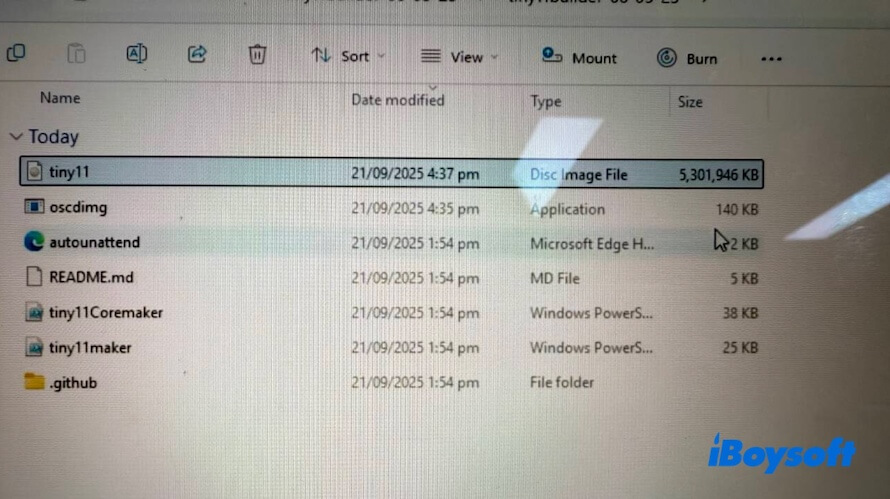
When it completes, you'll see a new Tiny11 ISO file in the same folder.
FAQs
- QIs Tiny11 approved by Microsoft?
-
A
No. Tiny11 is community-created and unofficial. Microsoft does not provide support, updates, or guarantees.
- QIs Tiny11 suitable for old computers?
-
A
Yes, Tiny11 is commonly used on older or low-spec PCs, especially systems that don't meet Windows 11's TPM or Secure Boot requirements. However, its hardware compatibility and stability are not guaranteed.
- QWhere can I download Tiny11?
-
A
Tiny11 is available from some third-party sites, but the safest option is to build it yourself. Download a clean, official Windows 11 ISO (from Microsoft or iBoysoft DiskGeeker for Windows). Use NTDEV's Tiny11 Builder script on GitHub to generate your own Tiny11 ISO.
- QWhat are the disadvantages of Tiny11?
-
A
Here are the common disadvantages of Tiny11:
No official Microsoft support
Stripped Windows features and apps
Possible compatibility issues with updates or drivers
Reduced security due to removed components
Not ideal for long-term or production use