MacKeeper is a powerful software that helps you clean junk files on your Mac and free up storage space. However, many users have reported that it consumes a significant amount of system memory, leading them to seek alternatives.
Whether or not you're looking for the best MacKeeper alternative here, we have tested and summarized several common options, comparing them in detail in terms of performance, ease of use, and features. After reading this article, you'll find the tool that best suits your Mac cleaning needs.
A Comparison Table of MacKeeper Alternatives
| Overall score(out of 10) | Easy to use | Total junk removal | Outstanding features | |
| CleanMyMac X | 8 | No | Yes | Clearing junk and boosting speed |
| iBoysoft Cleaner | 9 | Yes | Yes | All-round tool to clear junk, caches, large files, duplicate files and uninstall apps with AI assistance. |
| CCleaner | 7 | No | No | Suitable for basic junk cleanup tasks |
| iBoysoft DiskGeeker for Mac | 9 | Yes | Yes | Disk management and clean junk file quickly |
| BuhoCleaner | 6 | No | No | Suitable for basic junk file cleanup |
| DaisyDisk | 6 | Yes | No | Visual disk space usage |
Share the above 6 MacKeeper alternatives with your friends if you have learned something about them!
Note: All our conclusions are based on actual tests. We have selected six of the best MacKeeper alternatives and compared them in user interface, ease of operation, cleaning effect, price, and more during testing. Through this article, you can fully understand the differences between them so that you can choose the best product for you.
| 🔢 Number of alternatives tested | Six |
| 💻 The device we tested | MacBook Pro (14-inch, 2024), MacBook Air (13-inch, 2017) |
| 💻 macOS version we tested on | macOS Sequoia 15.1, Sonoma 14.3 |
| ⏰ Overall test time | Three days |
CleanMyMac X
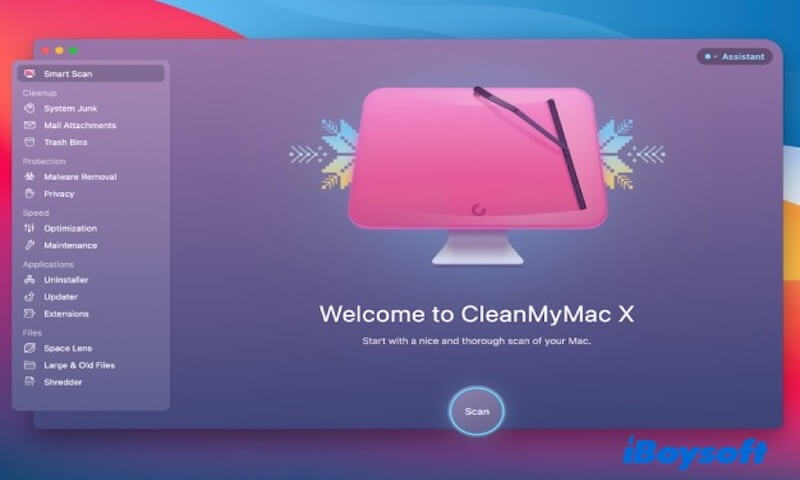
CleanMyMac X is an optimization tool designed for macOS. Its main functions include cleaning junk files, uninstalling unwanted apps, and boosting system performance.
It helps you remove unnecessary files like system caches, log files, temporary files, and junk emails, freeing up disk space and improving your computer's speed.
- Pros:
- Multiple functions
- Good for cleaning junk files and boosting speed
- Cons:
- Use a large amount of system space
- Complex user interface
- Relatively expensive
- Users need some time to learn
Overall reviews
Overall, CleanMyMac X performs well in cleanup. It intelligently identifies and deletes useless data, ensuring necessary system files are preserved. In addition, this software provides lots of functions such as uninstalling applications, managing startup items, and system optimization.
However, CleanMyMac X can take up a lot of system space because of its various features. You may have to spend most of your time to find its Clean Junk function and perform it.
Editor's Review: CleanMacMac features a bright and user-friendly interface that provides quick access to a variety of useful functions. It helps you free up disk space, safeguard your privacy, boost performance, update your apps, uninstall unwanted software, and protect against malware and adware. - Macworld.com
iBoysoft Cleaner
iBoysoft Cleaner is a feature-rich space cleaning tool designed specifically for Mac users. It is used to scan and delete unnecessary data such as system junk, caches, logs, temporary files, large files, duplicate files, similar photos, and uninstall apps, freeing up disk space and improving system performance.
- Pros:
- Analyze disk space visually via directory tree
- A full-featured tool to clear system junk, large files, duplicates, uninstall apps, etc.
- AI-powered analysis to auto-select cleanable files
- Easy to operate
- Cons:
- No phone support
Overall reviews
iBoysoft Cleaner is an efficient, safe, and user-friendly cleaning tool that helps you quickly remove unnecessary files taking up valuable disk space. Its intuitive interface and simple operation make it accessible even to non-technical users.
The tool specializes in scanning and deleting junk files from your system, ensuring your disk space is optimized without consuming excessive system resources. Moreover, this MacKeeper alternative is widely trusted on the Apple Store, and you can click the icon below to download it directly.
Here is how to clean junk files with iBoysoft Cleaner
- Free download, install, and open iBoysoft Cleaner
- Click Grant access to permit scanning.
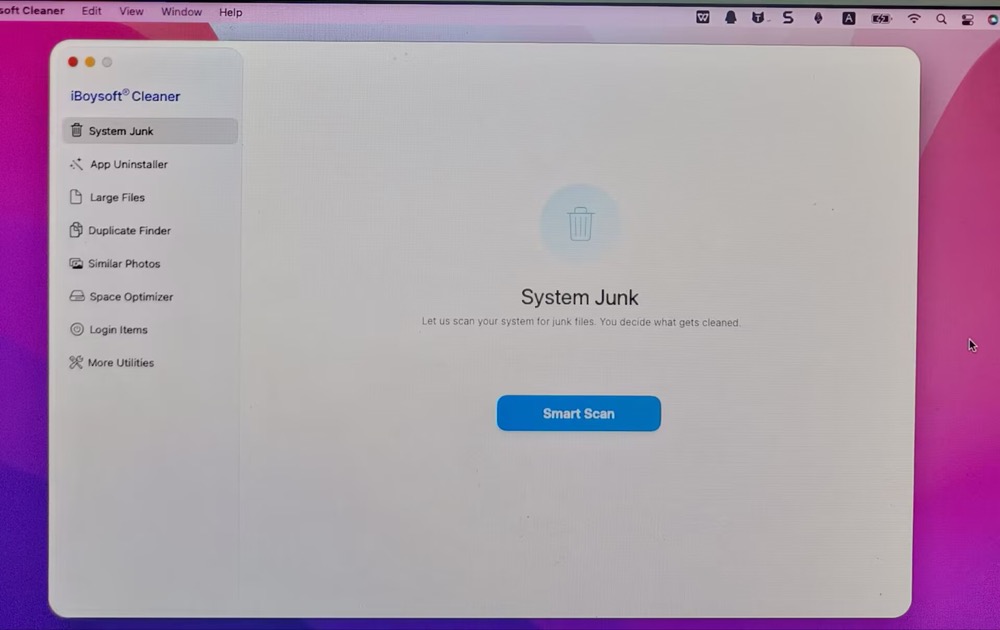
- Click Smart scan and wait before the scanning process is finished.
4. Based on the analysis results, the folders are listed by size. Browser cache occupies 1.11 GB, system junk takes up 87.4 GB, and system logs use 3.9 MB. These cleanable folders are automatically selected, indicating that they are safe to remove.
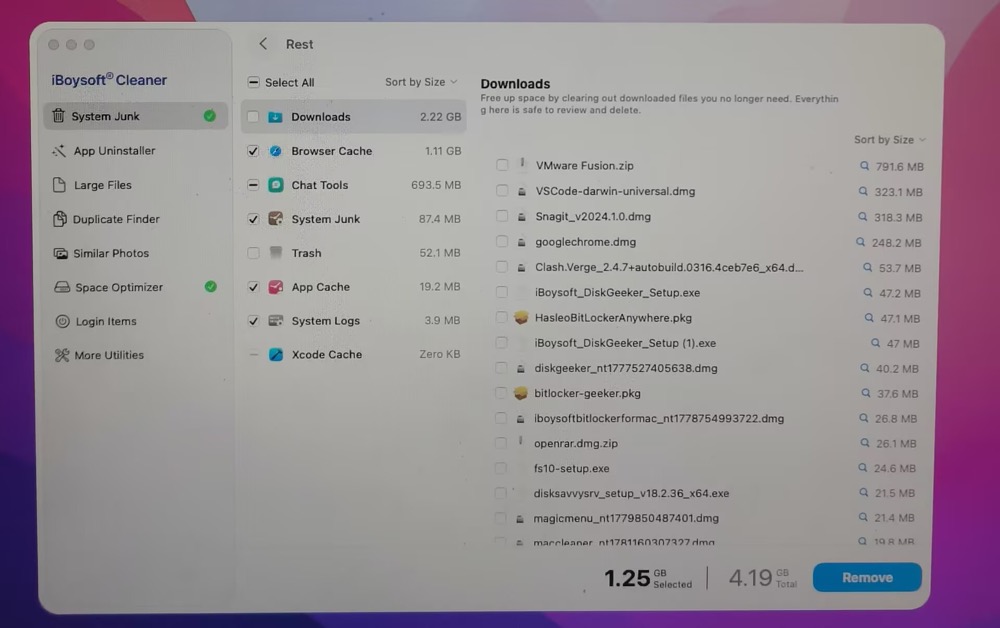
5. Select the folder or file to delete. Here I choose System Junk. It's 4.19 GB in total and the selected 1.25 GB files are safe to clear. Tap the Remove button at the lower right corner of the interface to clean up junk.
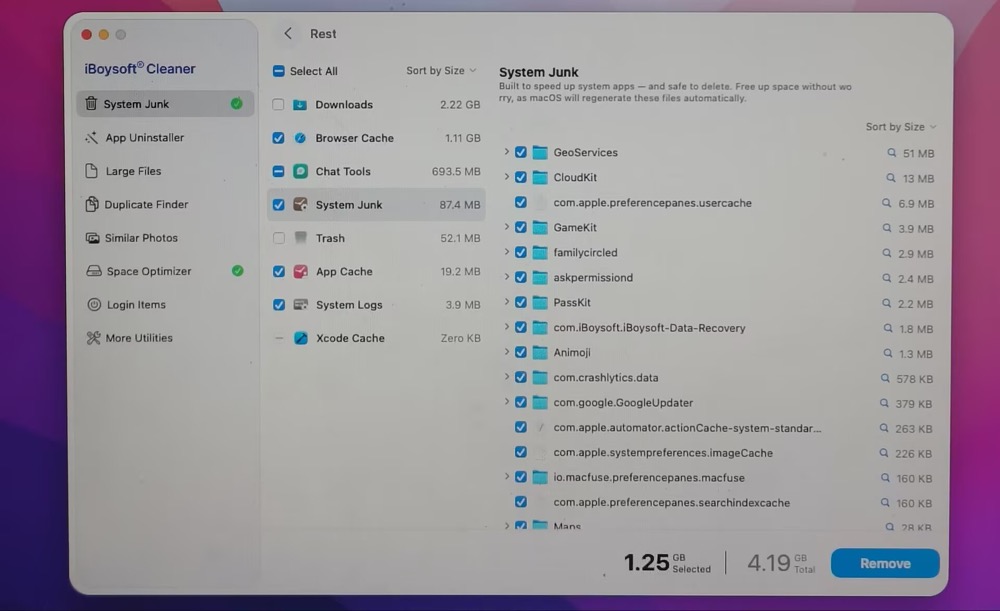
If you want to uninstall apps, clear large files, or remove duplicate files/similar photos, just go to the specific area and use the same way to clean them up. The auto selected files are safe to remove, no negative effects on your Mac performance.
Editor's Review: iBoysoft Cleaner is a professional Mac junk file removal software that quickly scans and automatically ticks off junk files on your Mac. Free up disk space and improve system performance with just a click. - appagg.com
CCleaner
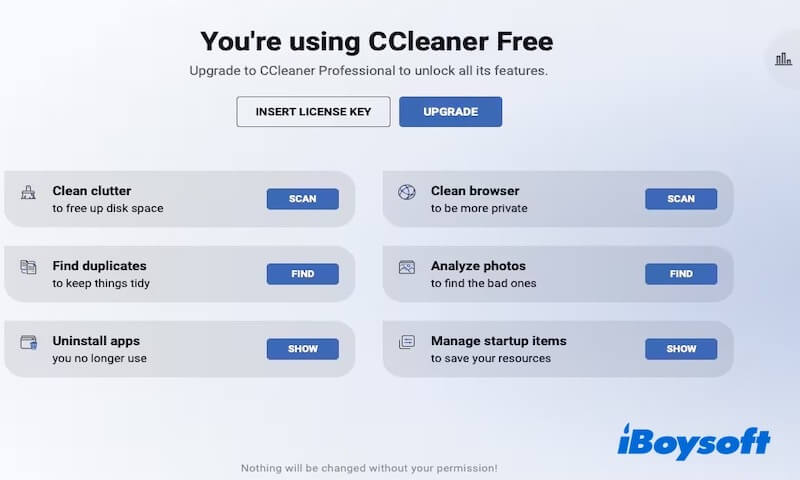
CCleaner is a system optimization and privacy tool, originally made for Windows and later released for macOS. It helps clean app caches and temporary files, remove leftover data from uninstalled apps, and clear browser history, cache, and cookies to improve performance and protect privacy.
- Pros:
- Modern user interface
- Offers the free trial version
- Cons:
- Unable to deep clean many junk files
- Limited features in free version
- Ads pop up while in use
- Occupy many system resources
- Important files may be deleted by mistake
Overall reviews
CCleaner can meet users' basic junk cleaning needs, but overall, it performs better on Windows than on macOS, where its functionality is limited. If you're a Windows user looking for a tool to regularly clean system junk, CCleaner is still worth a try. However, if you're on macOS, it's better to go with other MacKeeper alternatives.
Editor's Review: CCleaner is a powerful cleaning tool with a relatively reasonable price compared to other products. Although the free version only offers basic features, it is still a suitable option if you only need to remove unnecessary files from your Mac. - macpaw.com
iBoysoft DiskGeeker for Mac
iBoysoft DiskGeeker for Mac is a professional disk management tool that offers various useful features, including disk space analysis, junk file cleanup, external storage management, etc. Its Clean Junk feature helps you scan and identify unnecessary files on your disk, freeing up storage space and optimizing your Mac's performance. 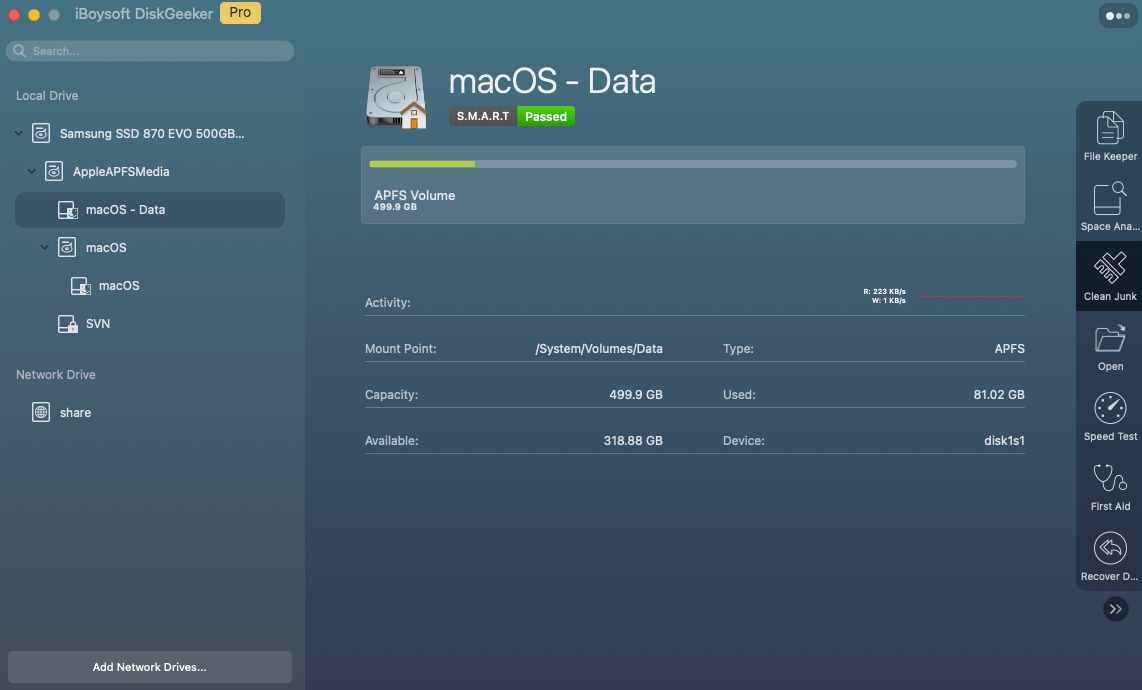
- Pros:
- Visual file size
- Good for cleaning junk files
- Multiple functions
- User-friendly interface
- Have technical support
- Cons:
- No phone support
Overall reviews
iBoysoft DiskGeeker for Mac, a MacKeeper alternative, is a practical and efficient tool for users who want to quickly remove disk clutter, free up storage space, and boost their Mac's performance.
Additionally, if you're looking for an all-in-one solution that combines disk management, junk cleanup, BitLocker encryption, and NTFS read-write support, iBoysoft DiskGeeker is worth a try!
Editor's Review: iBoysoft DiskGeeker is a disk management tool for Mac that helps optimize system performance and improve productivity. With iBoysoft DiskGeeker, users can read and write BitLocker-encrypted drives and NTFS drives, clone disks, analyze disk space, clean up junk files, check and repair disk errors, test disk speed, etc. - softwareadvice.com
Share iBoysoft DiskGeeker for Mac with more people if you find it useful!
BuhoCleaner
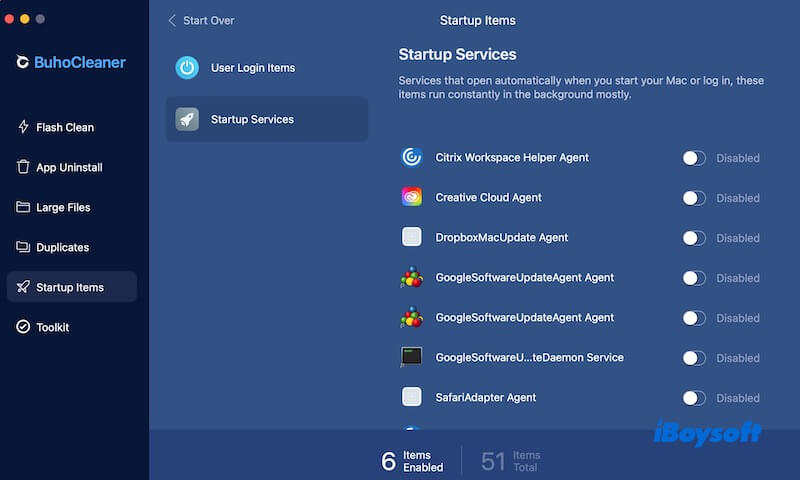
BuhoCleaner is a system cleaning and optimization tool designed specifically for macOS. Its main features include junk file cleanup, app management, startup optimization, and RAM release, aiming to help users improve their Mac's performance and free up storage space.
- Pros:
- Fast cleaning speed
- User-friendly interface
- Cons:
- Lack of privacy protection
- Limited features in free version
- Relatively limited function
- Insufficient system deep optimization ability
Overall reviews
Although BuhoCleaner lacks disk management features, it scans and cleans junk files quickly and frees up storage space efficiently. Moreover, its user interface is simple and easy to use, even if you have no technical experience.
However, you should notice that this software does not offer privacy protection or deeper system optimization. If you're looking for a more comprehensive Mac maintenance solution, try to use iBoysoft DiskGeeker for Mac.
Editor's Review: BuhoCleaner makes it easy to remove junk files from your Mac, and it works quickly. The program is designed with simplicity, with all tools logically arranged, so even first-time users can achieve the desired results. - fixthephoto.com
DaisyDisk
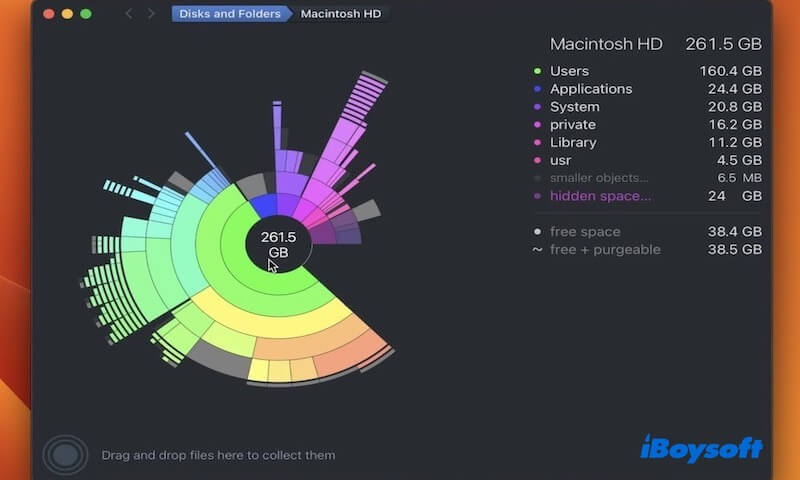
As a good MacKeeper alternative, DaisyDisk is a disk space analysis tool designed to help users visualize disk usage. It provides a clear and interactive view of which files or folders are taking up the most space, allowing users to quickly identify and manually delete large files to free up storage.
- Pros:
- Intuitive disk space visualization
- User-friendly interface
- Cons:
- Limited functionality in free version
- Lacks automated junk file cleanup
- Insufficient system deep optimization ability
- Vital information may be lost
- Unable to clean residual application files
Overall reviews
DaisyDisk is a powerful and visually impressive disk space analysis tool for Mac users who want to manage their storage space autonomously. The software is lightweight, efficient, occupies fewer system resources, and is smooth to use.
Nevertheless, DaisyDisk does not support automatic garbage cleaning. In other words, you should manually filter and delete files instead of relying on an intelligent cleaning system. In addition, it does not include features such as cache cleanup, app offloading, or deep system optimization.
Editor's Review: DaisyDisk is an excellent disk analysis tool that helps you accurately manage disk space and remove large files. While its feature set is not extensive, it remains a solid choice overall. - macpaw.com
Conclusion
This article provides a detailed comparison of the six MacKeeper alternatives, highlighting their respective strengths and weaknesses. However, if you're looking for a lightweight tool with an efficient Clean Junk feature, iBoysoft Cleaner is undoubtedly an ideal choice.
Share the above six MacKeeper alternatives with more people!
FAQs
- Q1. Do I need MacKeeper on my Mac?
-
A
No, you don’t necessarily need MacKeeper on your Mac. macOS comes with built-in security features and storage management tools that help protect your Mac and keep your storage organized without requiring additional software.
- Q2. Is iBoysoft Cleaner approved by Apple?
-
A
Yes, iBoysoft Cleaner is officially approved and endorsed by Apple. You can find and download iBoysoft Cleaner on Apple App Store.
- Q3. What are top free alternatives to MacKeeper?
-
A
MacKeeper free alternatives like BleachBit and OnyX are nice options to try.