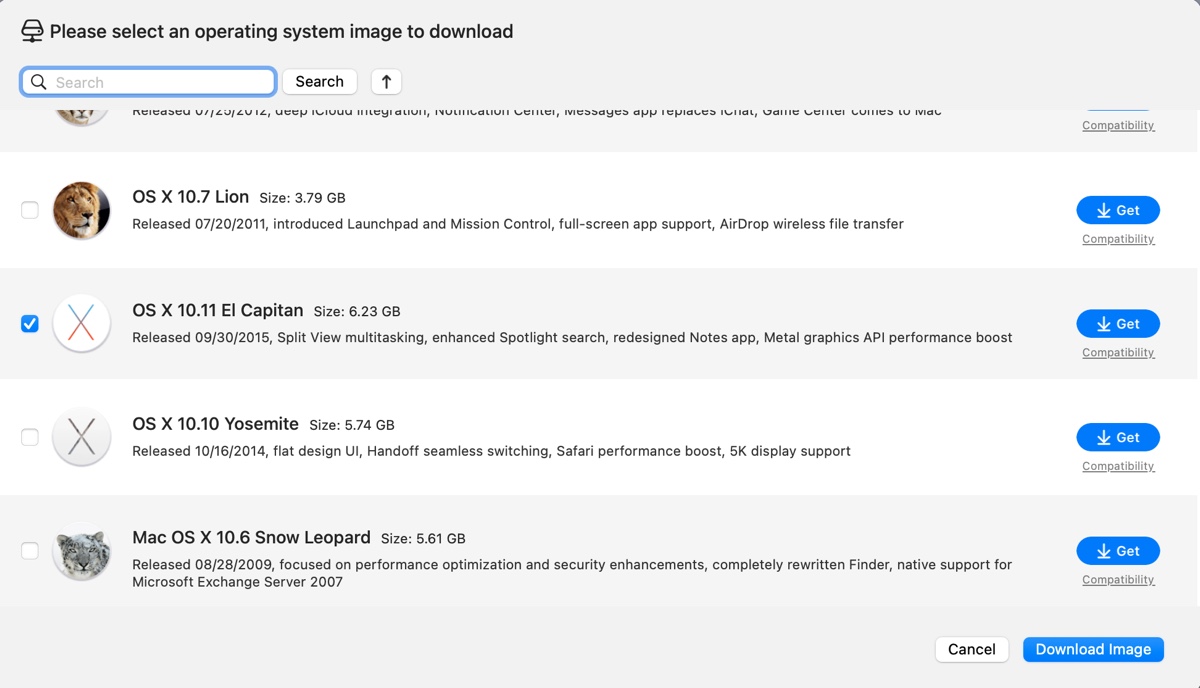
OS X El Capitan, also referred to as macOS El Capitan, is the 12th major release of the Mac operating system. It was the final version of the OS X series to support aluminum Macs and Xserve. Although introduced in 2015, some of you may still need to run El Capitan on a virtual machine.
If that's you, you'll need the OS X El Capitan ISO file, which is a disk image file that contains the operating system OS X El Capitan.
| How to download El Capitan ISO | Safety | Bootable or Not | Supported Platform | Extra features |
| With iBoysoft DiskGeeker | Safe | Bootable | Mac | - Create a bootable El Capitan USB installer - Download other macOS DMG files |
| Directly from the internet | Not sure | Not sure | Mac & Windows | None |
How to download 10.11.6 El Capitan ISO on Windows & Mac safely?
The best way to obtain the El Capitan 10.11.6 ISO file on Windows or macOS is from iBoysoft DiskGeeker. It has a library of macOS installers available for download (macOS 27 Golden Gate ~ Mac OS X Snow Leopard), including the newest version of OS X El Capitan. This tool also supports making bootable USB installers for El Capitan and other versions.
Here's how to download the El Capitan bootable ISO file:
* The steps below are an example for Windows PCs. This tool is available for both Windows PCs and Macs. If you have a Mac, the download button will direct you to get the macOS version.
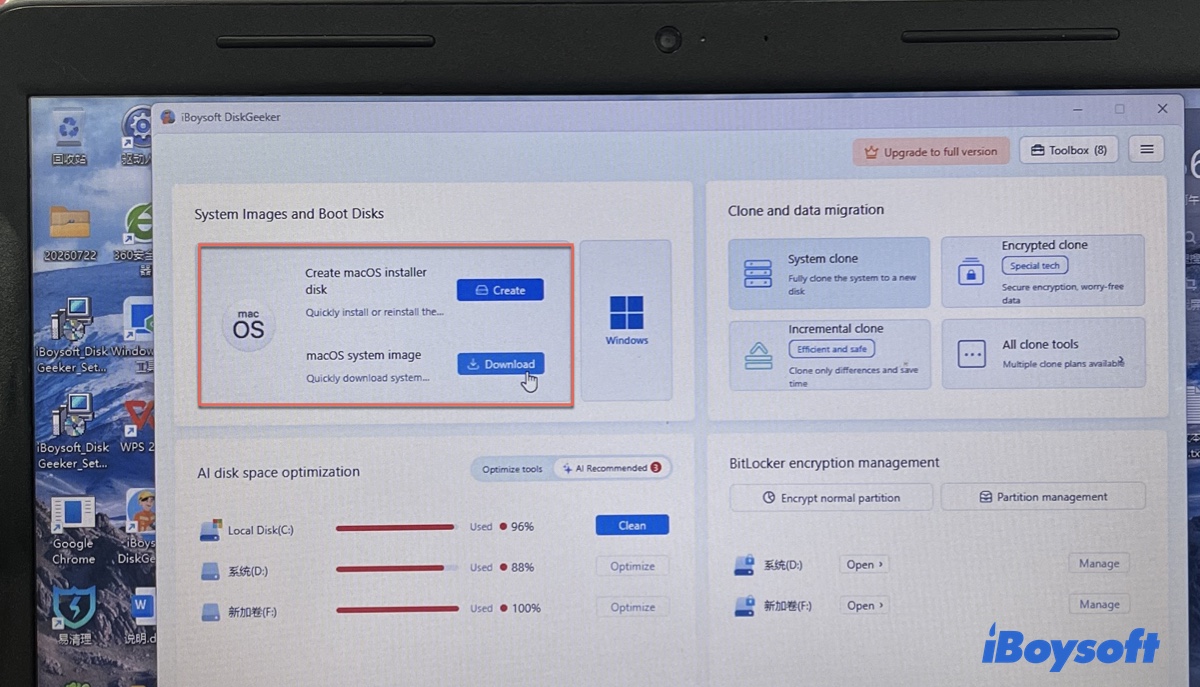
Step 1: Free download and open iBoysoft DiskGeeker for Windows.
Step 2: Click Download next to macOS system image.
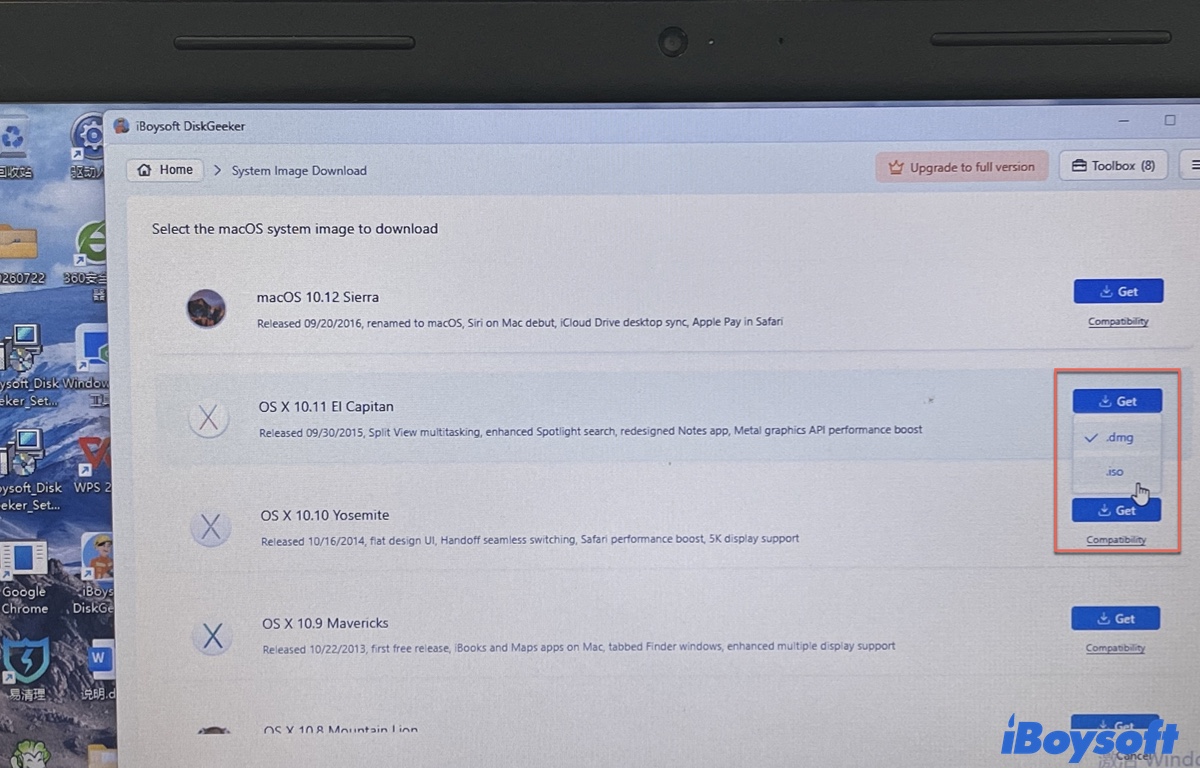
Step 3: Tap the Get button next to OS X 10.11 El Capitan.
Step 4: Choose the .iso format and click Get again.
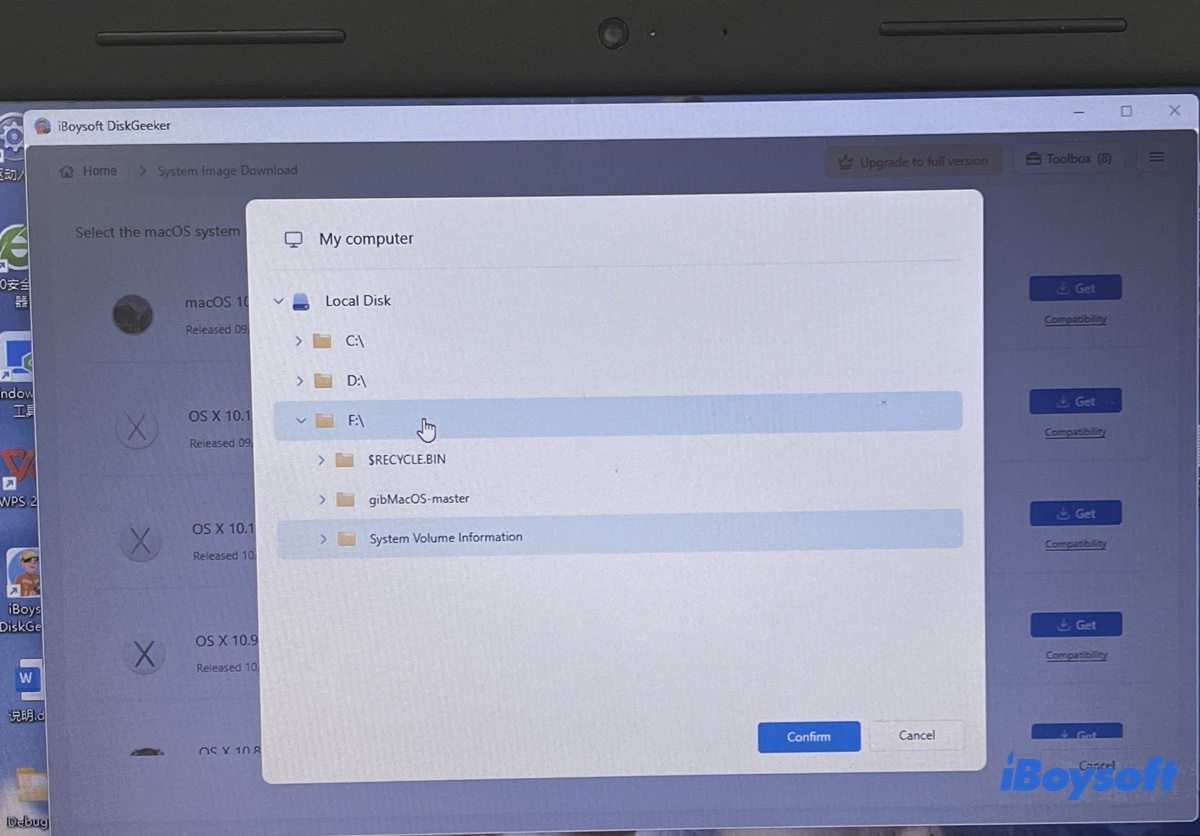
Step 5: Choose the location to save the El Capitan ISO image and click Confirm.
Step 6: The download will start automatically.
Share the steps to benefit others!
How to download El Capitan ISO for free?
If you prefer to download the El Capitan ISO file from the internet or on a Windows PC for VirtualBox or VMware, you can try the following resources. These links can be downloaded from a Mac or a Windows PC.
El Capitan ISO download for VirtualBox or VMware (archive.org, 7.1G)
El Capitan ISO image download (mediafire.com)
To download other macOS ISO files, check out the Mac OS ISO Download Hub.
Share it to help others download El Capitan on Windows or Mac!