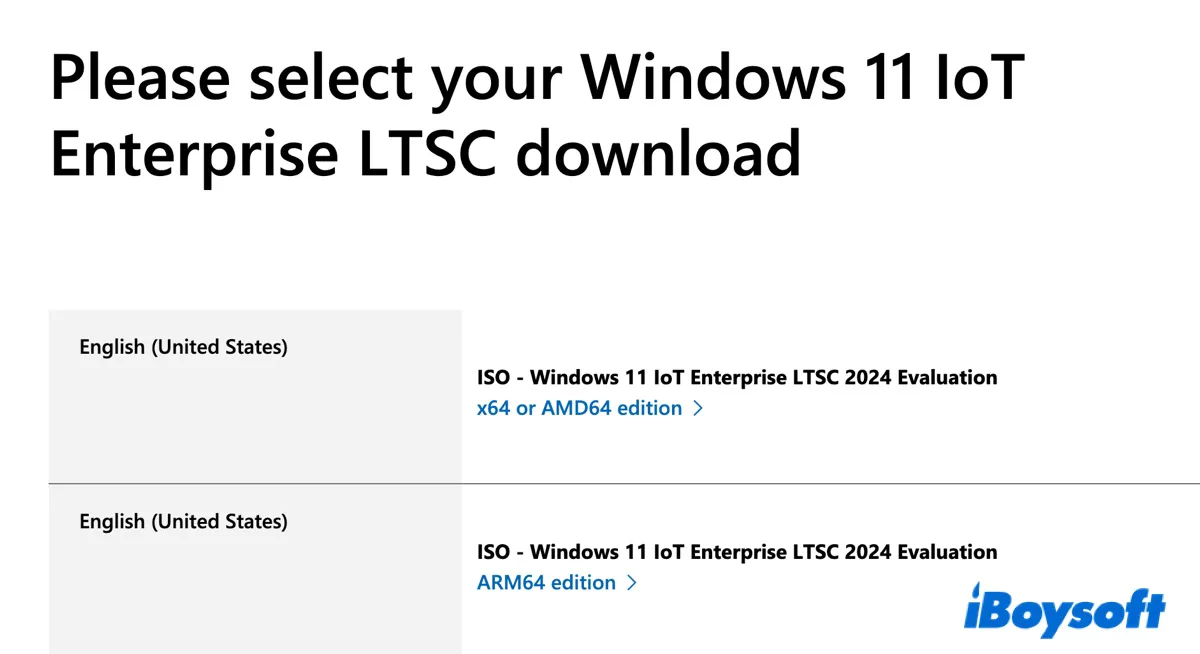
Besides the standard editions, Windows 11 also has a modified or lite version designed for specialized devices that cannot tolerate frequent feature updates, called Windows 11 LTSC (Long-Term Servicing Channel). This version doesn't receive frequent feature updates. Instead, it only gets monthly security and quality patches.
It's also lightweight, with unnecessary software packages and in-box apps removed. As a result, it's compatible with a wider range of older or specialized hardware and offers better performance. With it, your computer or device can remain on the same version for its entire life cycle.
As of late 2025, there are currently two client Windows 11 LTSC editions, based on the version 24H2 codebase: Windows 11 Enterprise LTSC 2024 and the official Windows 11 Lite version: Windows 11 IoT Enterprise LTSC 2024.
If you need a debloated Windows operating system that will not change for years, download and install the ideal one with the instructions in this guide.
Note: Windows 11 LTSC is not suitable for general consumers whose PC is compatible with Windows 11. If you need Windows 11 for game playing, internet surfing, work, or study, download standard Windows 11.
Windows 11 Enterprise LTSC 2024 ISO download
Windows 11 Enterprise LTSC is the long-term, highly stable version of Windows 11 made for regular enterprise PCs and workstations that require maximum stability and an unchanged system environment. It provides 5 years of security updates while maintaining the same core code.
If your PC is compatible with Windows 11 Enterprise LTSC, download the latest Windows 11 Enterprise LTSC 2024 (24H2) ISO directly:
Windows 11 Enterprise LTSC 2024 (24H2) ISO (source: massgrave.dev)
⬇️ en-US Download | en-UK Download
- Build: 26100.1742
- Item Size: 4.8 GB
- Architecture: x64 (64-bit)
Windows 11 Enterprise LTSC 2024 (24H2) download (source: archive.org)
⬇️ Windows 11 LTSC 2024 x64 ISO (en-US)
- Build: 26100.1742
- Item Size: 4.791 GB
- Architecture: x64 (64-bit)
- MD5: 66608a96a4f2d73b4a1d054e76e6eae4
- SHA-1: d5dd0a493b6a9c92f7f2a54bb2fb2544587a15fd
- SHA-256: 4f59662a96fc1da48c1b415d6c369d08af55ddd64e8f1c84e0166d9e50405d7a
⬇️ Windows 11 LTSC 2024 ARM64 ISO (en-US)
- Build: 26100.1742
- Item Size: 4.77 GB
- Architecture: ARM64 (64-bit)
- MD5: d5c60d16df2708369e98059f0e15ee94
- SHA-1: 5811aca5f0dd3a6c260e1c9e2315334b10888e46
- SHA-256: f8f068cdc90c894a55d8c8530db7c193234ba57bb11d33b71383839ac41246b4
Share to help others download Windows 11 Enterprise LTSC 2024/24H2 ISO file!
Windows 11 Enterprise LTSC requirements
To download and install Windows 11 Enterprise LTSC, your computer must meet or exceed the following requirements:
| Processor: 1 GHz or faster with two or more cores on a compatible 64-bit CPU list (Intel 8th Gen/AMD Ryzen 2nd Gen or newer). |
| RAM: At least 4 GB. |
| Storage: 64 GB or more. |
| Storage: 64 GB or more. |
| System Firmware: UEFI firmware with Secure Boot capable enabled. |
| TPM: Trusted Platform Module (TPM) version 2.0 is required and must be enabled. |
| Graphics Card: Compatible with DirectX 12 or later with a WDDM 2.0 driver. |
| Display: High definition (720p) display that is greater than 9" diagonally. |
| License: Must be an organization with a Volume Licensing agreement |
Windows 11 IoT Enterprise LTSC 2024 ISO download (Official Windows 11 Lite)
Windows 11 IoT Enterprise LTSC, also known as the official Windows 11 Lite OS, is primarily intended for specialized, fixed-function devices that need long-term stability and relaxed hardware requirements. It provides 10 years of security updates while maintaining the same feature set, thereby preventing bugs and unexpected feature upgrades.
Unlike standard Windows 11, the IoT Enterprise LTSC 2024 edition doesn't require the PC to be capable of TPM 2.0 and Secure Boot. This Windows 11 Lite OS can even be installed on systems using Legacy BIOS. In addition, it has been proven to run smoothly on much older processors and requires less RAM.
It also doesn't include Microsoft Store, Edge, or other bloatware like Photos or Calculator, though these can be reinstalled if needed. Windows 11 IoT Enterprise LTSC is the ideal system for media equipment, banking & retail terminals, industrial automation, digital displays, ARM-based hardware, or old hardware.
If you're an industrial operator, an OEM, an enterprise IT admin, or your PC doesn't meet the standard Windows 11 requirements, download the Windows 11 IoT Enterprise LTSC 2024 from the following archives:
How to download Windows 11 Enterprise 24H2 ISO | official Windows 11 Lite ISO:
Windows 11 IoT Enterprise LTSC 2024 ISO download (source: massgrave.dev)
⬇️ Windows 11 LTSC ISO download 64-bit (x64, 4.8 GB)
Windows 11 IoT Enterprise LTSC 2024 ISO download (source: archive.org)
⬇️ Windows 11 LTSC ISO download 64-bit (x64, 4.8 GB)
⬇️ Windows 11 LTSC ISO download ARM64 (4 GB)
The links above point to full ISO files that can be activated with a valid VLOEM key. If you just need to test something in Windows 11 IoT Enterprise LTSC 2024 for a short period, you can download the official 90-day evaluation ISO file for Windows 11 LTSC.
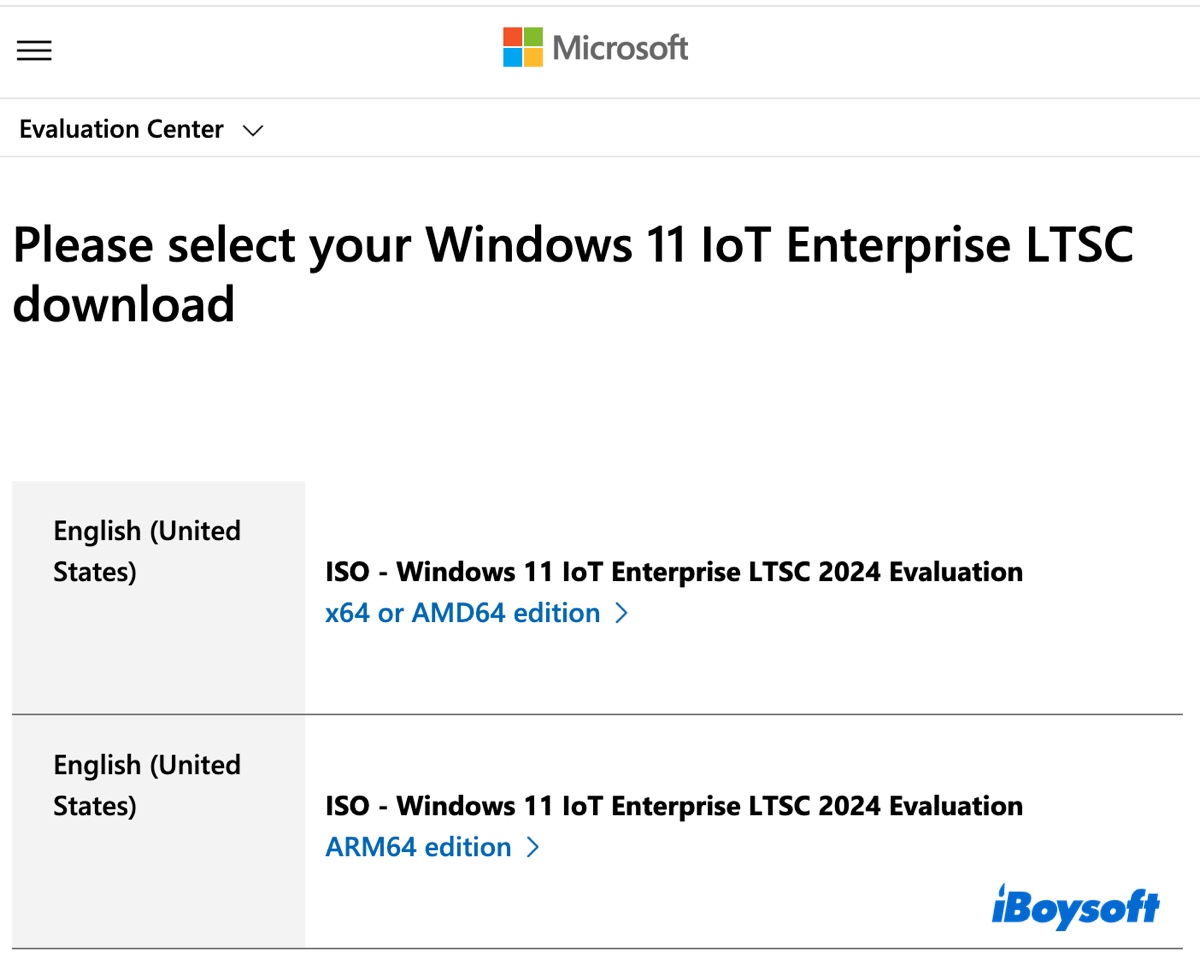
Here's how to download Windows 11 IoT LTSC (90-day evaluation ISO):
- Open the Windows 11 IoT Enterprise LTSC download page.
- Click x64 or AMD64 edition for the US version or the AMD64 edition for the UK version.
- Choose a location to save the Windows 11 IoT Enterprise LTSC ISO file.
Share the links to download Windows 11 IoT Enterprise LTSC!
Windows 11 IoT Enterprise LTSC requirements
To download and install Windows 11 IoT Enterprise LTSC, your computer must meet or exceed the following requirements:
| Processor: 1 GHz or faster with two or more cores on a compatible 64-bit CPU or ARM64 processor. |
| RAM: At least 2 GB (4 GB is recommended). |
| Storage: 16 GB or more. |
| System Firmware: UEFI, Secure Boot, and Legacy BIOS are all supported. |
| TPM: Optional (Trusted Platform Module 2.0 is not required for this specific IoT edition). |
| Graphics Card: Compatible with DirectX 10 or later (DirectX 12 is recommended but not mandatory). |
| Display: Optional (no specific size or resolution requirement for headless or specialized devices). |
| License: Must be an organization with a Volume Licensing (VL) agreement or an Authorized Windows IoT Distributor partnership. |
Create a Windows 11 LTSC bootable USB installer
With the full Windows 11 LTSC ISO file, you can create a bootable USB installer to install Windows 11 LTSC from USB. Since Windows 11 LTSC doesn't come with the Media Creation Tool, you can use iBoysoft DiskGeeker for Windows to make a boot drive easily.
To create a bootable USB installer using the Windows 11 LTSC ISO file, connect a USB flash drive or any external storage device with more than 8 GB of free space (ensure the drive is backed up) and follow the steps below:
Step 1: Free download, install, and launch iBoysoft DiskGeeker for Windows.
Step 2: Navigate to Download and create boot disk > Create Windows OS USB Installer.
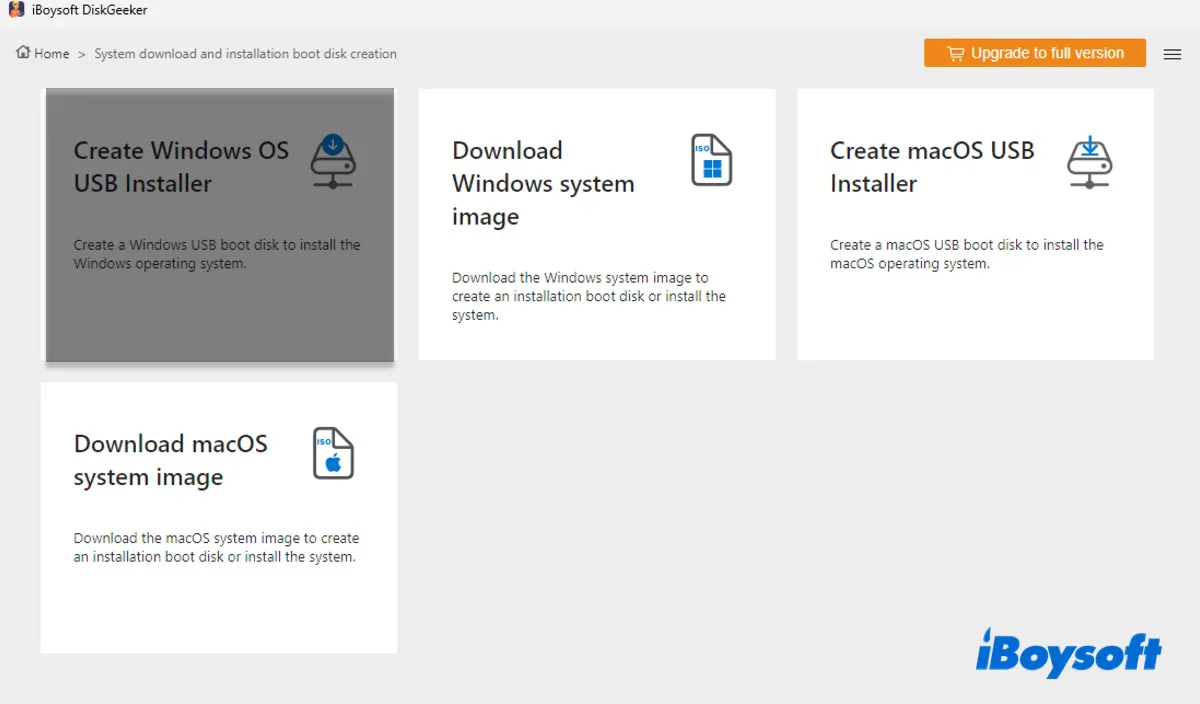
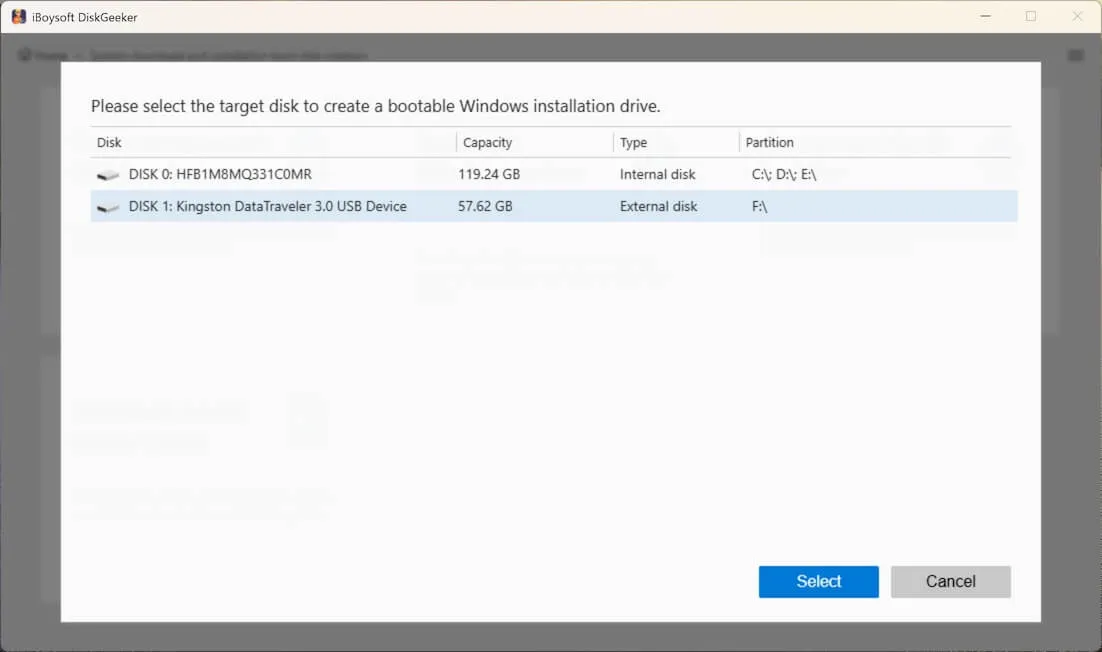
Step 3: Choose your USB drive and click Select.
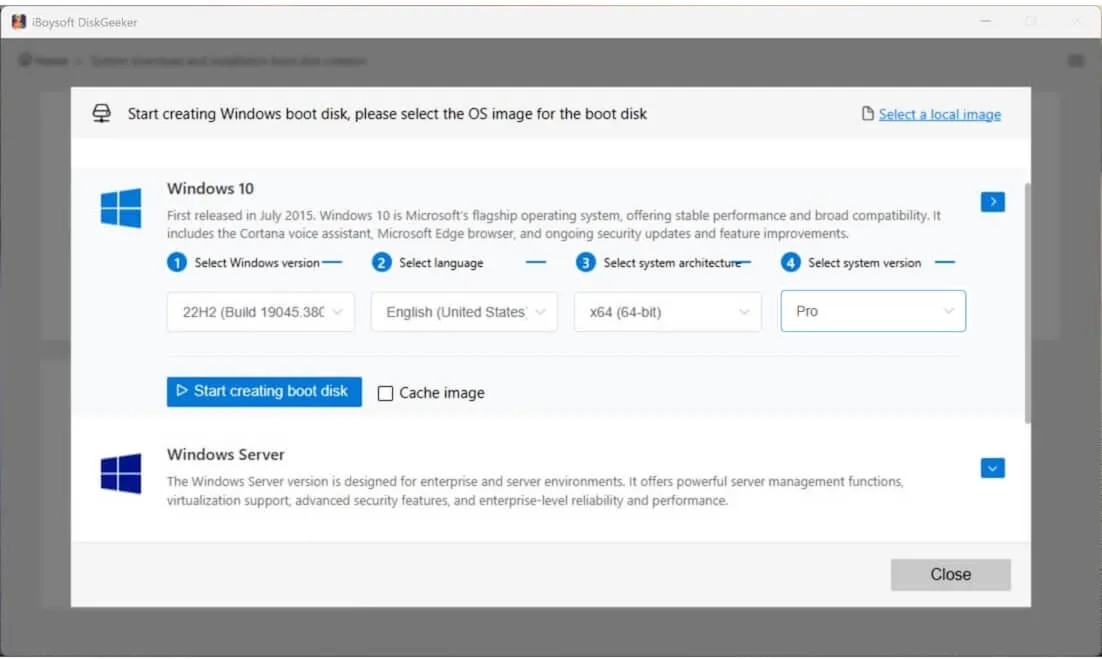
Step 4: Click Select a Local Image in the top-right corner.
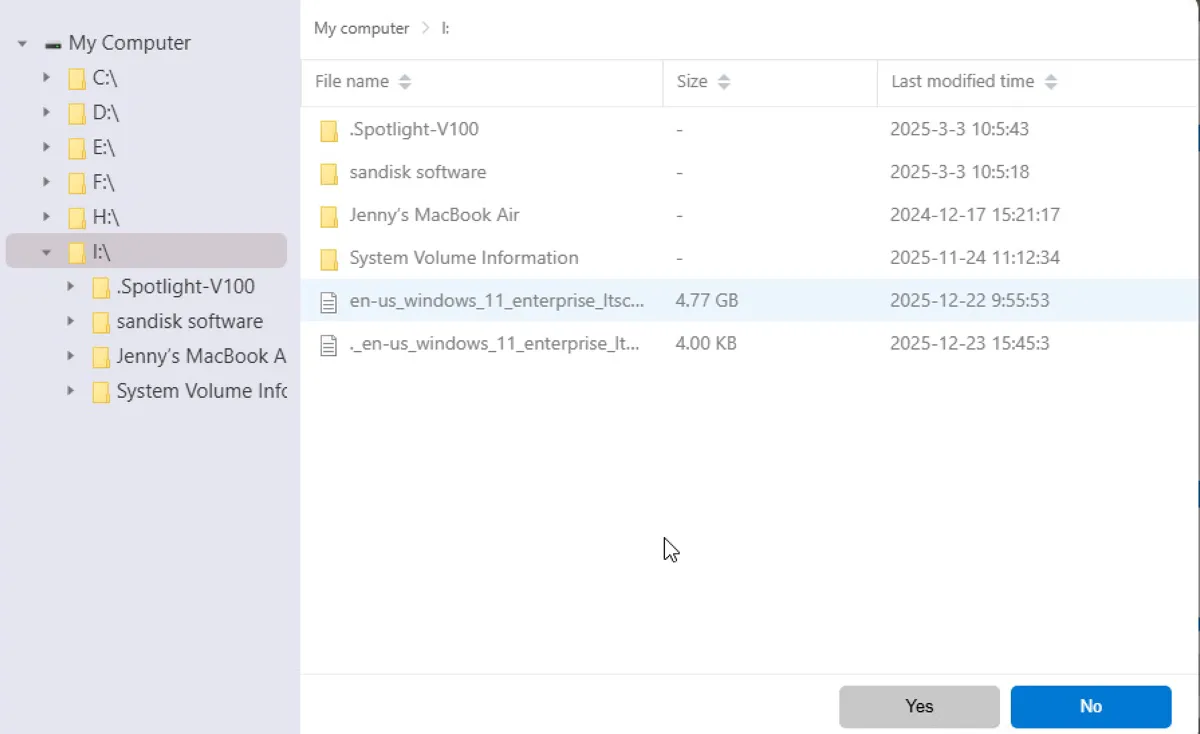
Step 5: Select the downloaded Windows 11 LTSC ISO file and click Yes.
Step 6: Click on Start creating boot disk.
Step 7: Wait while the tool is creating the Windows 11 LTSC installation media.
How to install Windows 11 LTSC?
Before installing Windows 11 LTSC, make sure you back up your files and settings in case anything goes wrong. When you're ready, take the steps below to install Windows 11 LTSC from USB:
Warning: Ensure you have backed up essential data on the PC since the process will erase your drive and perform a clean install.
This is for regular PCs. If it's a specialized device, check its manual.
- Reboot your computer and tap the BIOS key (usually F2, F12, or Del).
- Choose the Windows 11 LTSC installation media as the primary boot device.
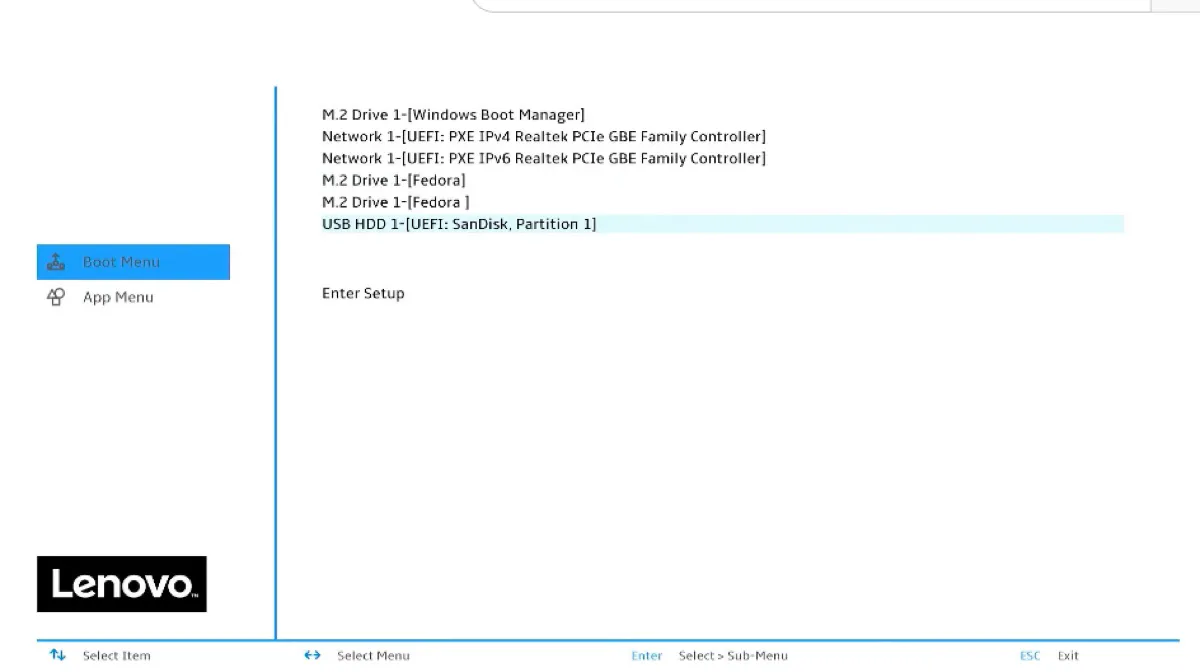
- Wait for your PC to boot up.
- Select language settings.
- Follow the instructions to set up Windows 11 LTSC.
- Select the partition on your main drive and click Delete until only "Unallocated Space" remains.
- Choose the partition and click Next to install Windows 11.
- Wait for Windows 11 LTSC to be installed.
Windows 11 IoT Enterprise LTSC VS Windows 11 Enterprise LTSC
Here's a comparison table that helps you decide between Windows 11 IoT Enterprise LTSC and Windows 11 Enterprise LTSC:
| Features | Windows 11 Enterprise LTSC | Windows 11 IoT Enterprise LTSC |
| Support period | 5 Years (until October 2029) | 10 Years (until October 2034) |
| TPM 2.0 / Secure Boot | Required | Optional |
| Minimum RAM | 4 GB | 2 GB |
| Minimum Storage | 64 GB | 16 GB |
| Stability | Maximum: No feature updates; security patches only | Maximum: No feature updates; security patches only |
| Debloating Degree | Store, Copilot, Edge (varies), OneDrive, Xbox, and all "bloatware" | Same as Enterprise LTSC, plus up to 36 additional removable packages |
| Target User | Corporate lab PCs, servers, mission-critical workstations | Older PCs without TPM 2.0 & Specialized devices: ATMs, kiosks, medical machinery |
| Licensing | Volume Licensing (VL) | OEM/Embedded Channel |
Note: You can manually reinstall the removed features or apps through PowerShell or external installers.
FAQs about Windows 11 LTSC
- QWhat is Windows 11 (IoT) Enterprise LTSC?
-
A
Windows 11 (IoT) Enterprise LTSC is the official lite version of Windows 11 with bloatware stripped down and lower system requirements, designed for fixed-function devices that require long-term stability.
- QHow to activate Windows 11 IoT Enterprise LTSC?
-
A
First, download the full Windows 11 IoT Enterprise LTSC 24H2 ISO file. Then, go to Start > Settings > System > Activation, select Change product key, enter your valid 5x5 product key, and click Next to activate online.
Note that neither LTSC version uses Retail keys (like those bought for Windows 11 Pro). They require specific keys tied to their respective licensing channels.
- QHow long does Windows 11 Enterprise LTSC 2024 last?
-
A
Windows 11 Enterprise LTSC 2024 lasts for 5 years, reaching its end of life on October 9, 2029. It does not have an extended support phase.
- QCan I upgrade Windows 10 Enterprise to Windows 11 LTSC?
-
A
Yes, you can upgrade Windows 10 Enterprise to Windows 11 LTSC through a clean installation.
- QHow big is the ISO file for Windows 11 LTSC?
-
A
The ISO file for Windows 11 LTSC is about 5 GB.