I’m trying to remove a leftover process from an app I uninstalled a long time ago.
The process occasionally uses almost all of my RAM. I thought I’d deleted everything related to it, but it keeps coming back. Activity Monitor clearly shows it when it happens, and force-quitting it immediately returns memory usage to normal.
I know how to reveal hidden files in Finder, but that only helps if I already know where they’re located. Is there a way to search hidden files with Spotlight or Finder’s search without using Terminal?
Spotlight generally doesn’t index many hidden system files, so it’s not the best tool for tracking down launch daemons or leftover app components.
Go to the locations where background services are commonly installed:
~/Library/LaunchAgents
/Library/LaunchAgents
/Library/LaunchDaemons
/Library/Application Support
If the process is running, it’s probably being launched by one of those folders. You can also double-click the process in Activity Monitor and check Open Files and Ports to see where the executable is located.
If you can’t fix the trouble after trying all possible tricks, I think you can use a cleaning tool.
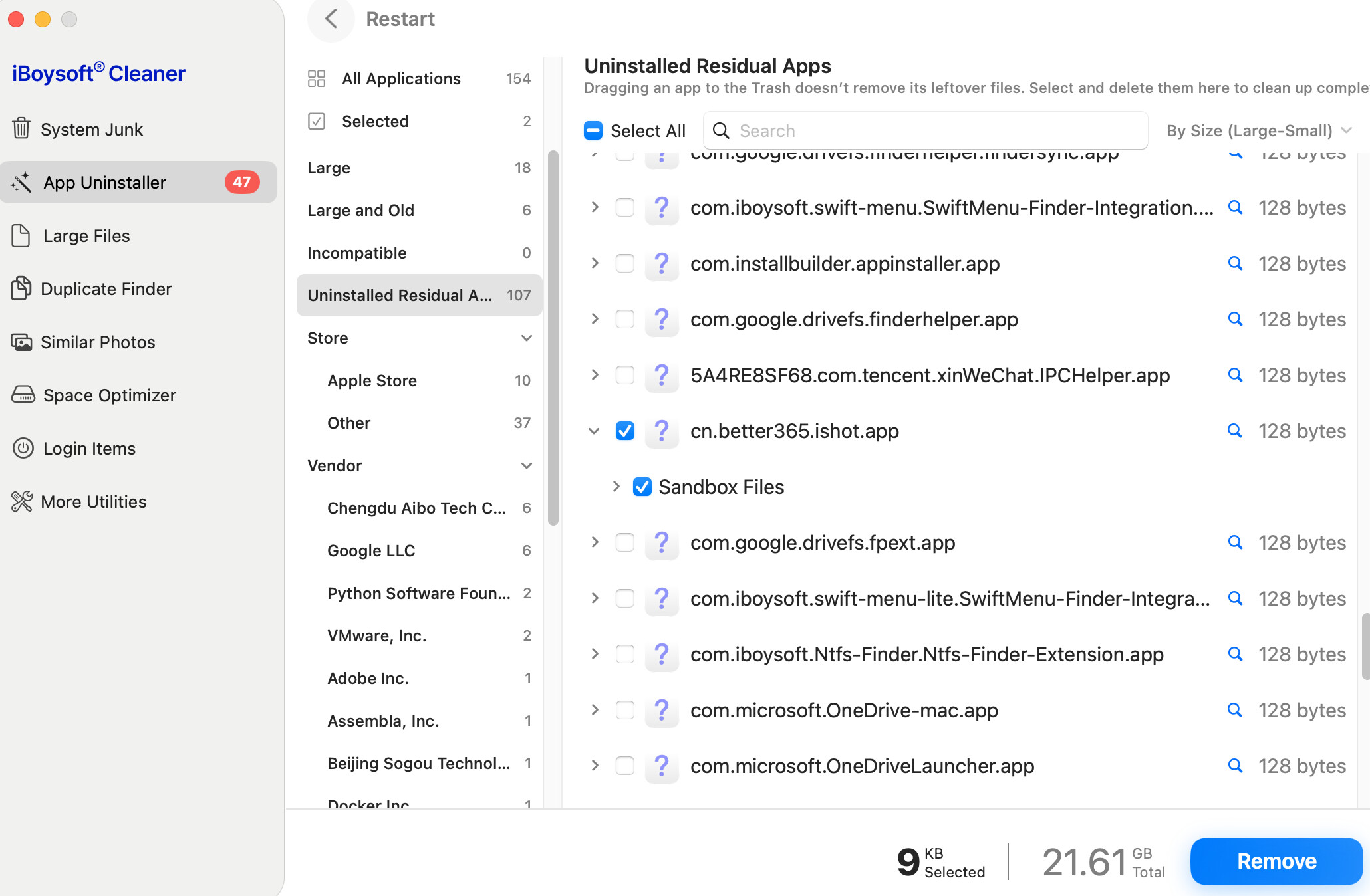
I learned that iBoysoft Cleaner can help delete leftovers of uninstalled apps.
You can let this tool to scan your Mac to see if it can find the leftover process. If it can, you can purchase a license to activate the tool and then let it delete the process.